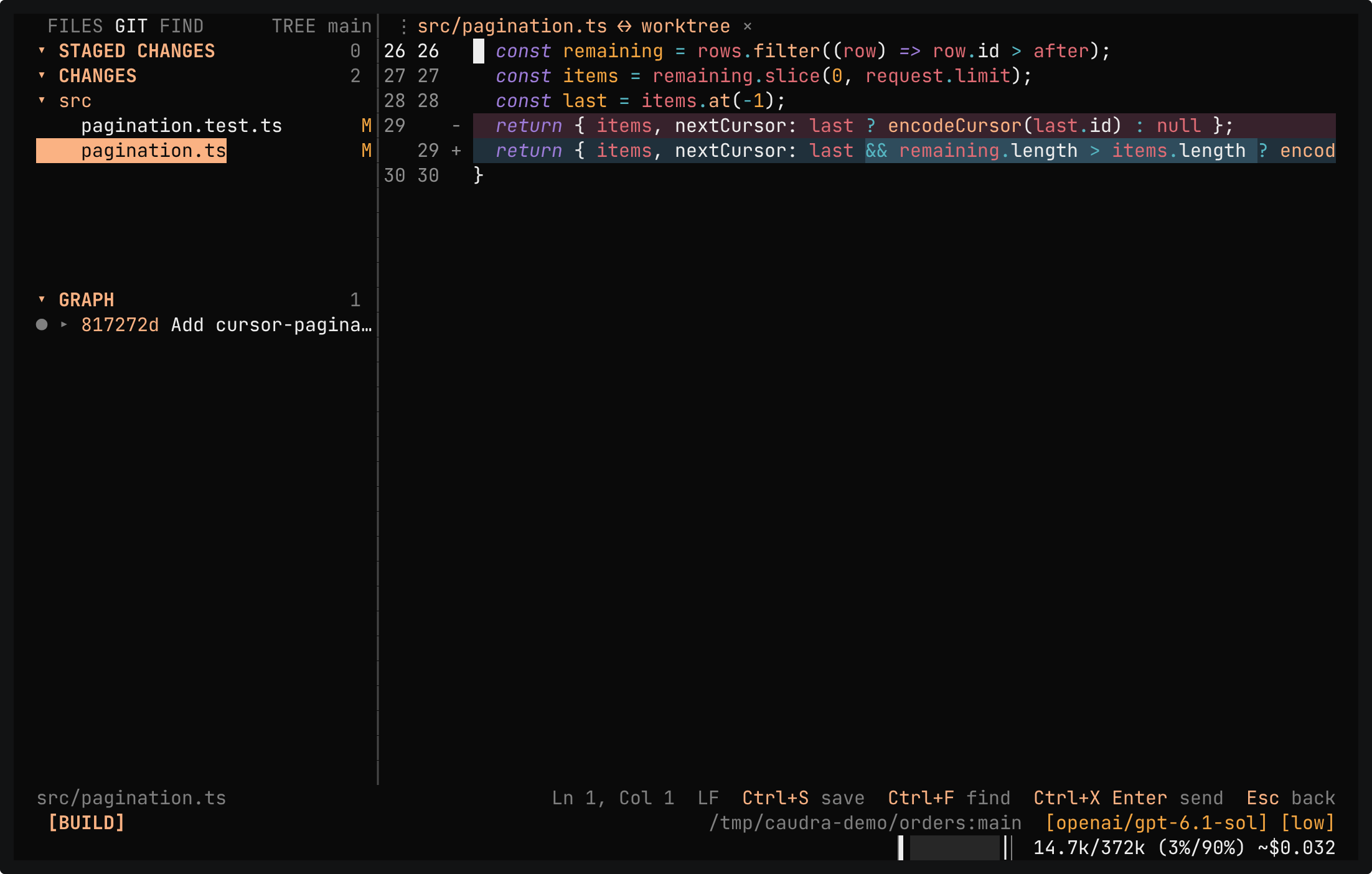
Ctrl+X w brings up a file explorer, tabbed editor, project search, and source control while the session keeps running. It lives in the terminal, so it comes along over SSH.
Terminal recording · The workbench beside a sessionA real session in the demo project after the agent fixed the bug. While make check runs, Ctrl+X w opens the workbench, and source control shows the diff of src/pagination.ts. Ctrl+P opens src/orders.test.ts, lines 11 to 15 are selected, and Ctrl+X Enter sends them to the composer as @src/orders.test.ts:L11-L15. The answer explains that the loop stopped only when nextCursor was falsy, so it made one more request, which returned an empty page.Open in the gallery ↗
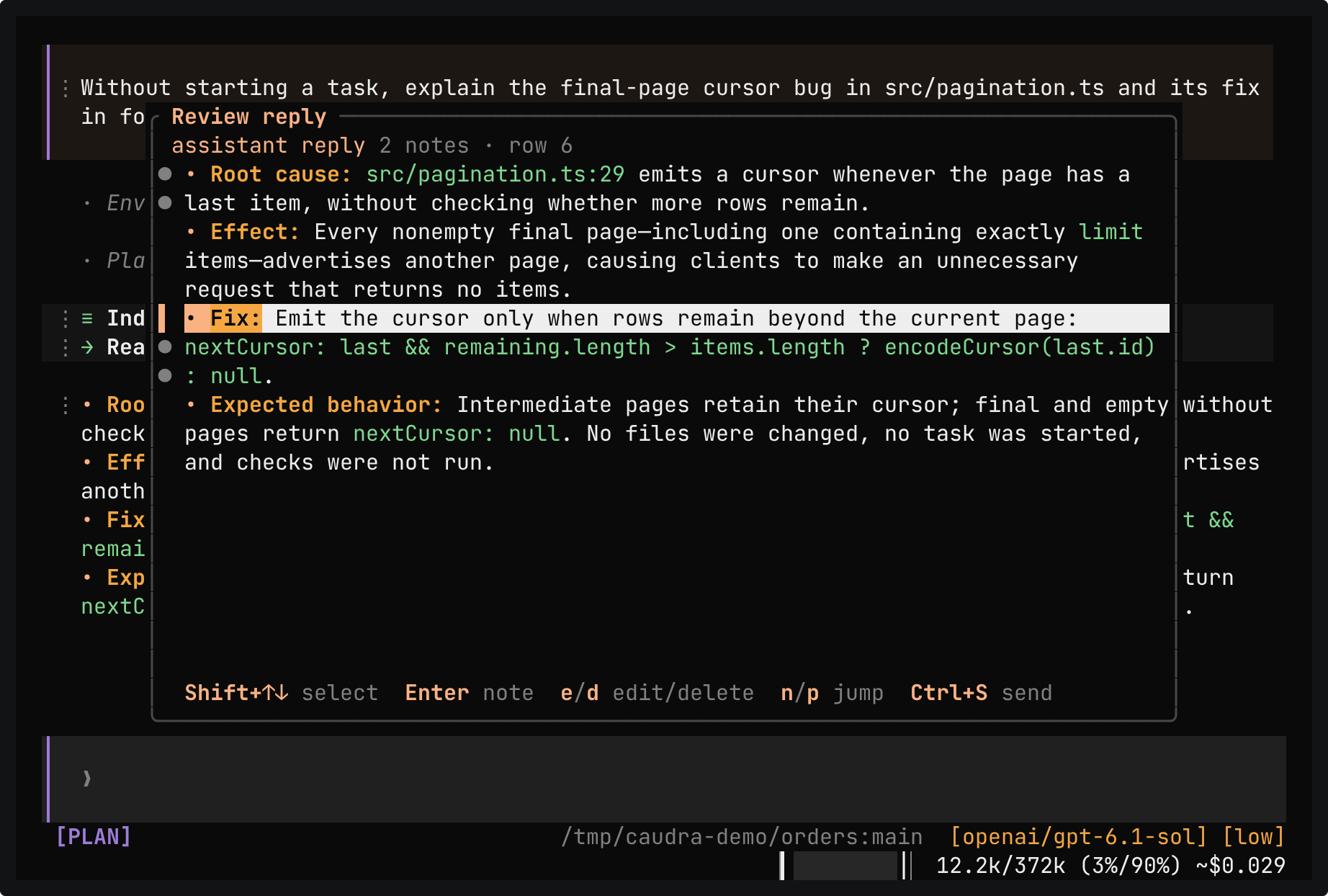
Terminal recording · Review passages of a replyA real session in the demo project. The reply explains the bug in four bullet points. Ctrl+X r opens it, and two notes go on two exact passages. Ctrl+S puts both notes in the composer as one collapsed paste, and nothing reaches the model until Enter. The answer covers both notes and names the three failing tests.Open in the gallery ↗
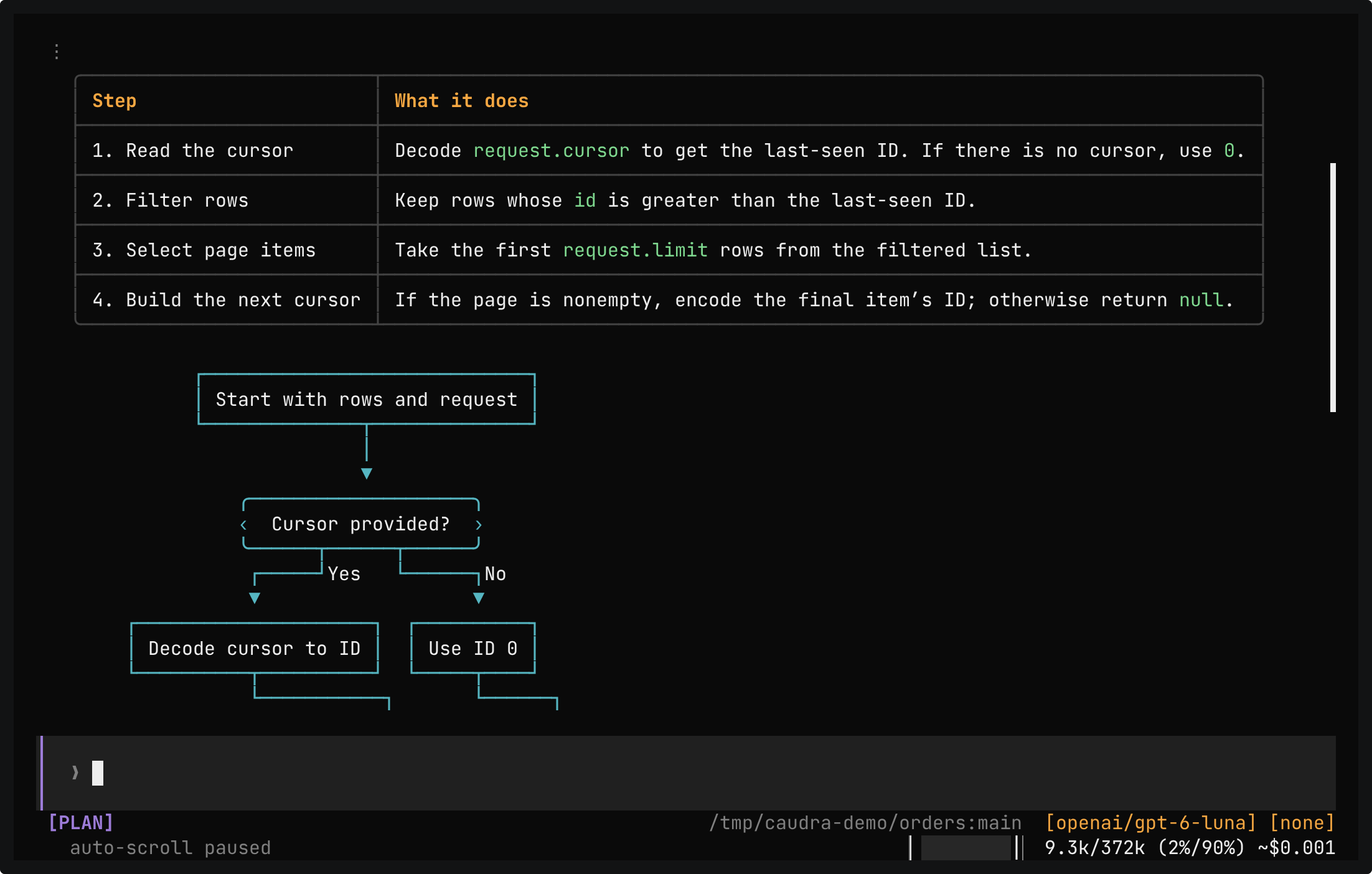
Terminal recording · Tables, diagrams, and maths in repliesA real session in the demo project. One prompt asks how paginate works, as a table of its steps, a Mermaid flowchart, and a LaTeX formula for the page count. The reply draws the table with borders, the flowchart as boxes and arrows, and the formula as ⌈n/k⌉. The mouse wheel scrolls back up to the table.Open in the gallery ↗
Read the actual change
Inspect diffs, browse the commit graph, and stage, unstage, or discard per file or folder.
Point at exact lines
Ctrl+X Enter sends the file, line, or selection to the composer as a mention such as @src/api.ts:L10-L20. Caudra puts those lines in the request.
Review passages of a reply
Mark the parts of an answer that need work, add a note to each, and send every note back as one prompt.
Replies rendered for engineers
Tables, highlighted code, Unicode maths, and Mermaid flowcharts render in the terminal. Copying a passage gives back its Markdown source.