10When you run several sessions

Give every session
its own tab.

Run Caudra inside Herdr or Orca, and the host knows what each session is doing. Caudra reports its state, names the tab after the session, and opens forks and worktrees in tabs of their own.
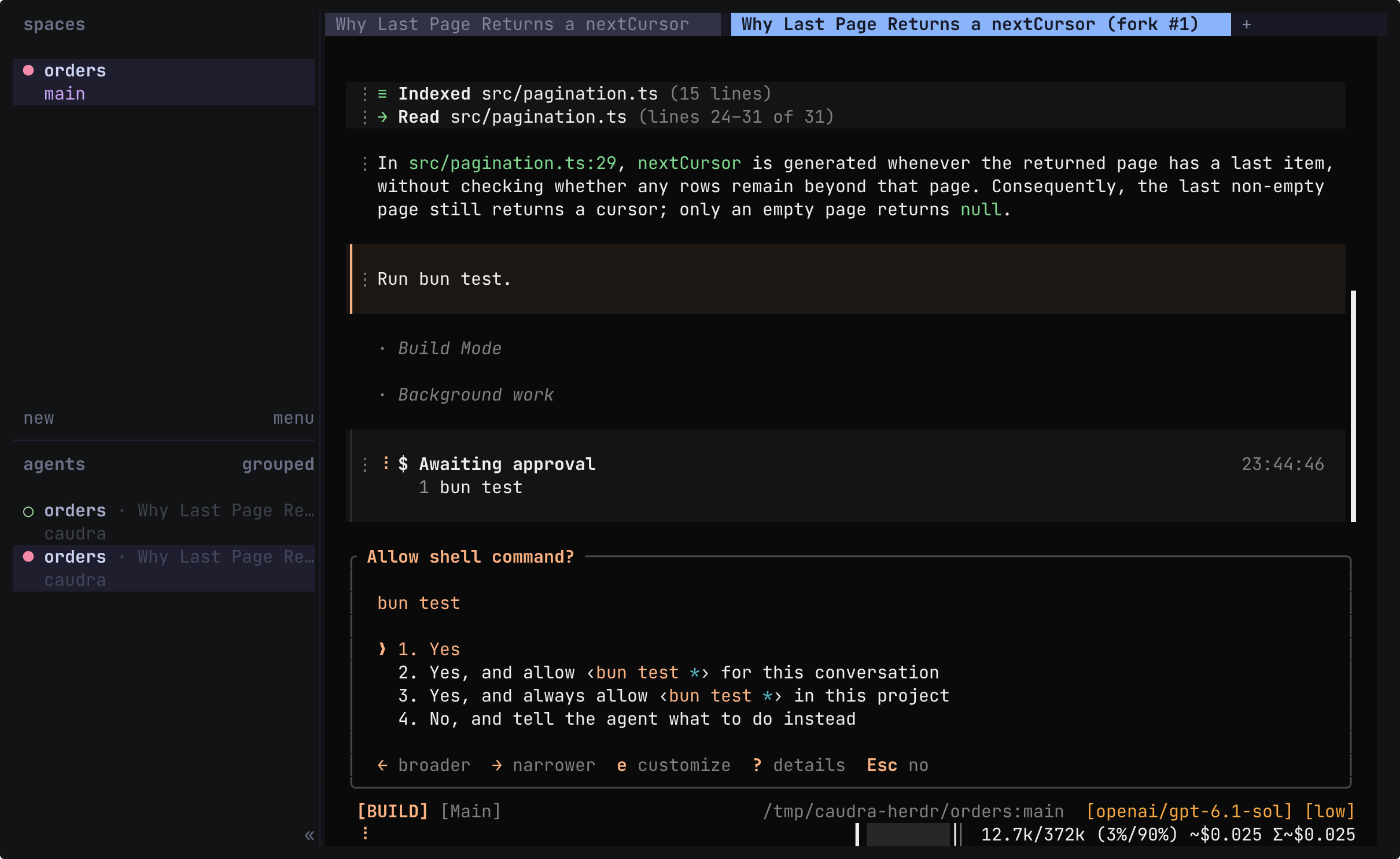
Herdr with two tabs, Last Page Returns a nextCursor? and the active Last Page Returns a nextCursor? (fork #1). The fork shows the earlier answer, the prompt Run bun test, and the Allow shell command? prompt for bun test. The agents list in the sidebar holds two orders sessions, and the row of the fork carries a filled dot.

Terminal recording · Caudra inside HerdrA real session in the demo project, run in a Herdr of its own. While the agent answers why the last page still returns a nextCursor, the sidebar shows the session working. The tab then takes the session title, Last Page Returns a nextCursor? The main agent also starts a read-only background task. Fork here, in the message menu, opens the fork in a new tab with a Caudra of its own. In the fork, Tab switches to Build mode, and Run bun test waits for approval. The sidebar marks that session until 1 approves the command. The take ends back on the first tab, where the original session is as it was.Open in the gallery
  • Status where you look

    The Herdr sidebar shows the state of each session with its title, model, and context usage. Orca shows the state on the tab and lists running subagents under the agent. Both raise their own notice when a turn ends or a prompt waits, and name the prompt, such as Permission requested: shell.

  • Tabs named after the session

    Caudra renames a Herdr tab to the session title while the tab still shows its number, and a tab you named keeps its name. Orca shows the session title on the terminal tab.

  • Forks open in a new tab

    Fork here, in the message menu, starts the new session in a new Herdr or Orca tab with a Caudra of its own. The session you forked from stays open where it was.

  • Worktrees in the host

    /worktree new asks Herdr or Orca to create the worktree, and the session continues there. /worktree close brings its commits and changes back, and every open session returns in a tab of its own. After a Herdr restart, the focused session comes back in its pane.

Caudra detects each host from the variables the host sets in the terminal. Orca can reopen a saved session with caudra --resume, and desktop apps can also run Caudra over ACP. Inside either host, the herdr or orca skill gives the agent the instructions of the installed release, and its commands still pass through your permission rules.

Integrates with Herdr and Orca.

Herdr and Orca integration