Gallery
Watch Caudra at work.
Each clip is a real Caudra session in a small demo project, recorded in the terminal and played back with its original timing. Hover over a clip or move focus to it to see a short excerpt, or press Play to watch the whole session on this page.
A clip shows one session with the model it names. Its length does not measure speed.
Run and steer agents
One prompt starts the work, and the input stays open while agents run.
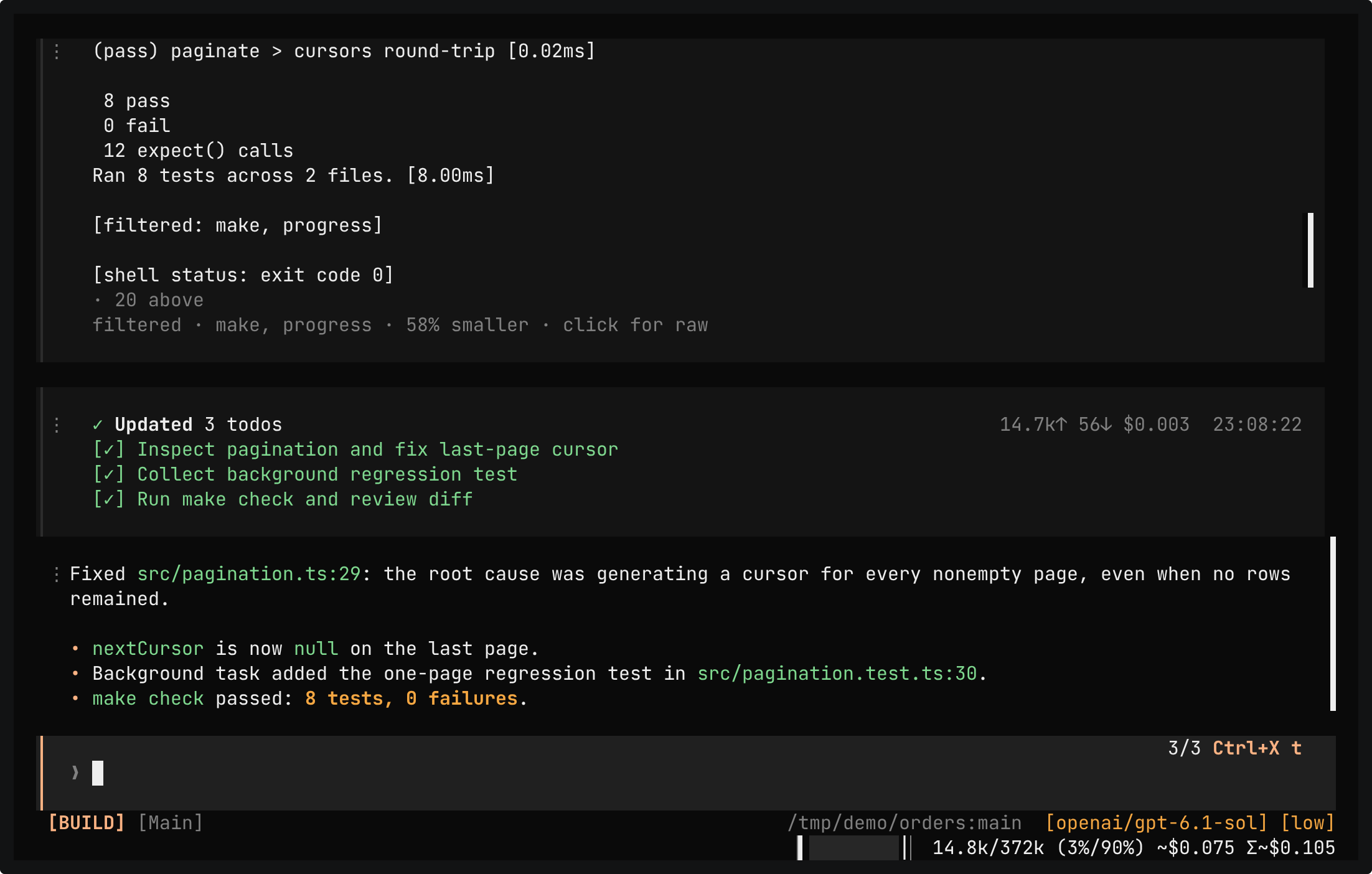
A real session in the demo project, whose AGENTS.md asks for background tasks and one final make check. One prompt asks for the fix and a test. A subagent writes the test in the background while the main agent fixes the code, and make check runs after your approval. The workbench then shows the diff.
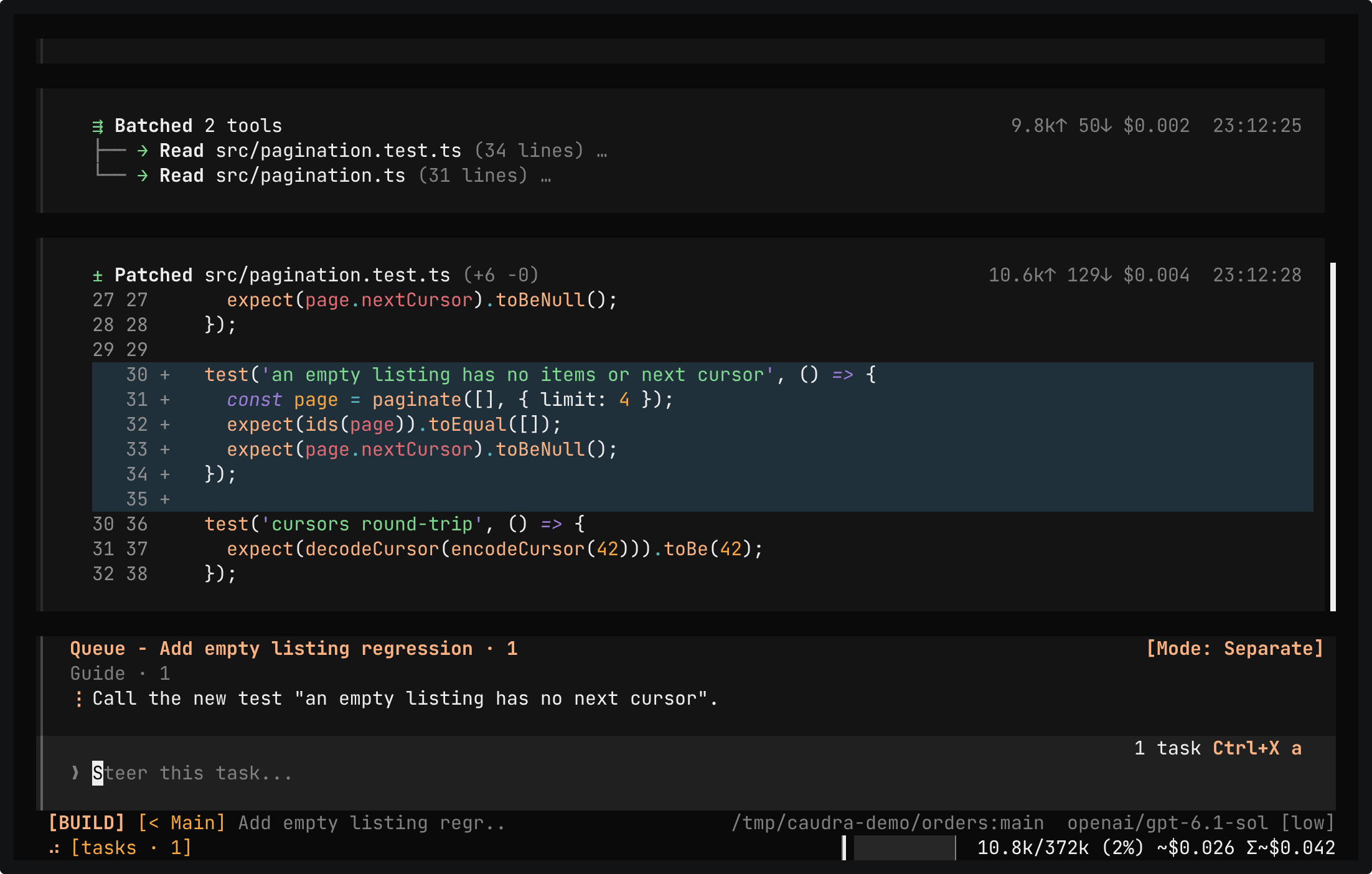
A real session in the demo project, whose AGENTS.md asks for background tasks and one final make check. You guide the running subagent from its own chat, add guidance to the main run, and queue make check for after the run. The subagent renames its test as guided, and the queued make check passes 8 tests.
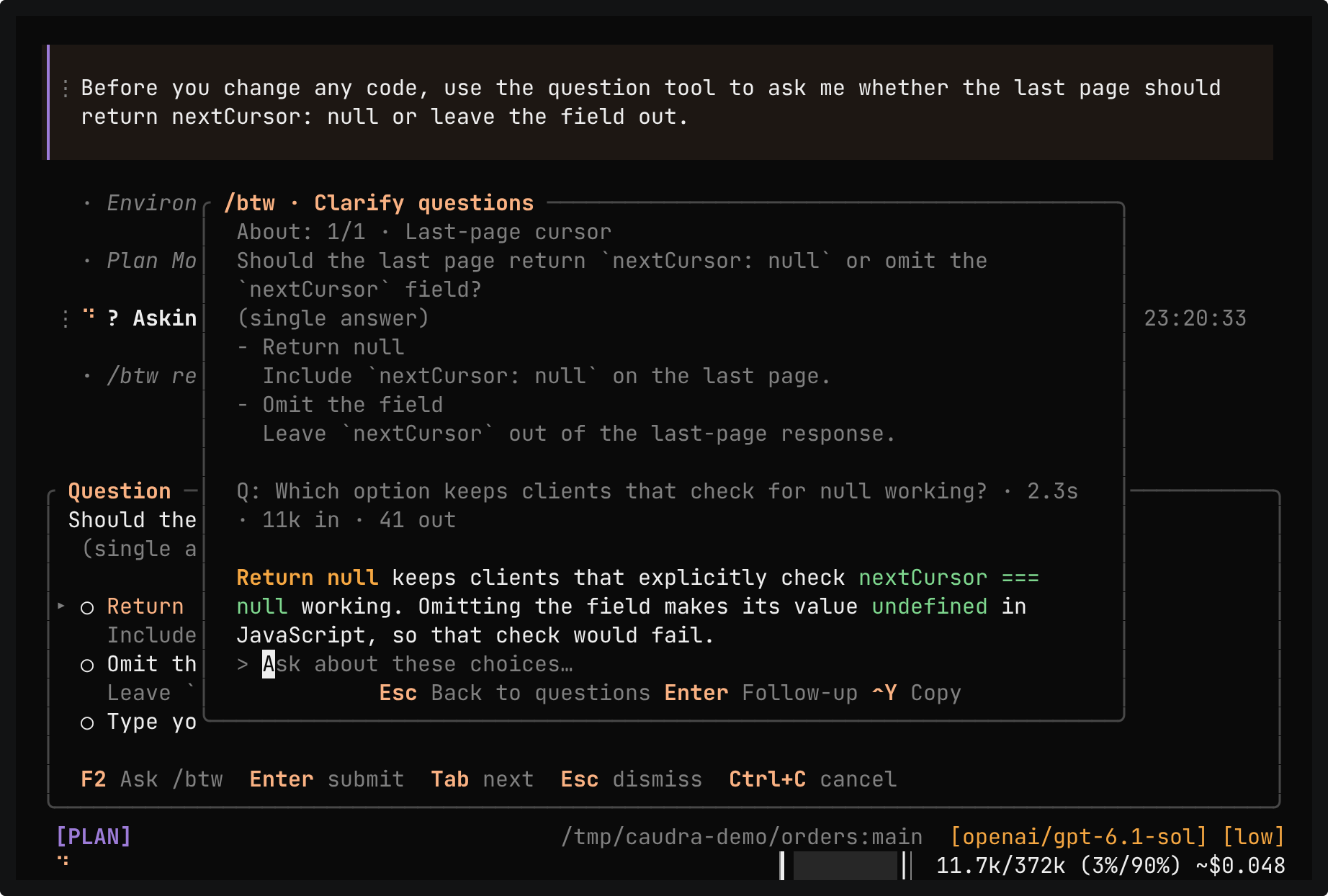
A real session in the demo project. The agent asks whether the last page should return nextCursor: null or leave the field out. F2 opens /btw, which answers a side question about the choices. Esc returns to the unchanged form, and you pick Return null.
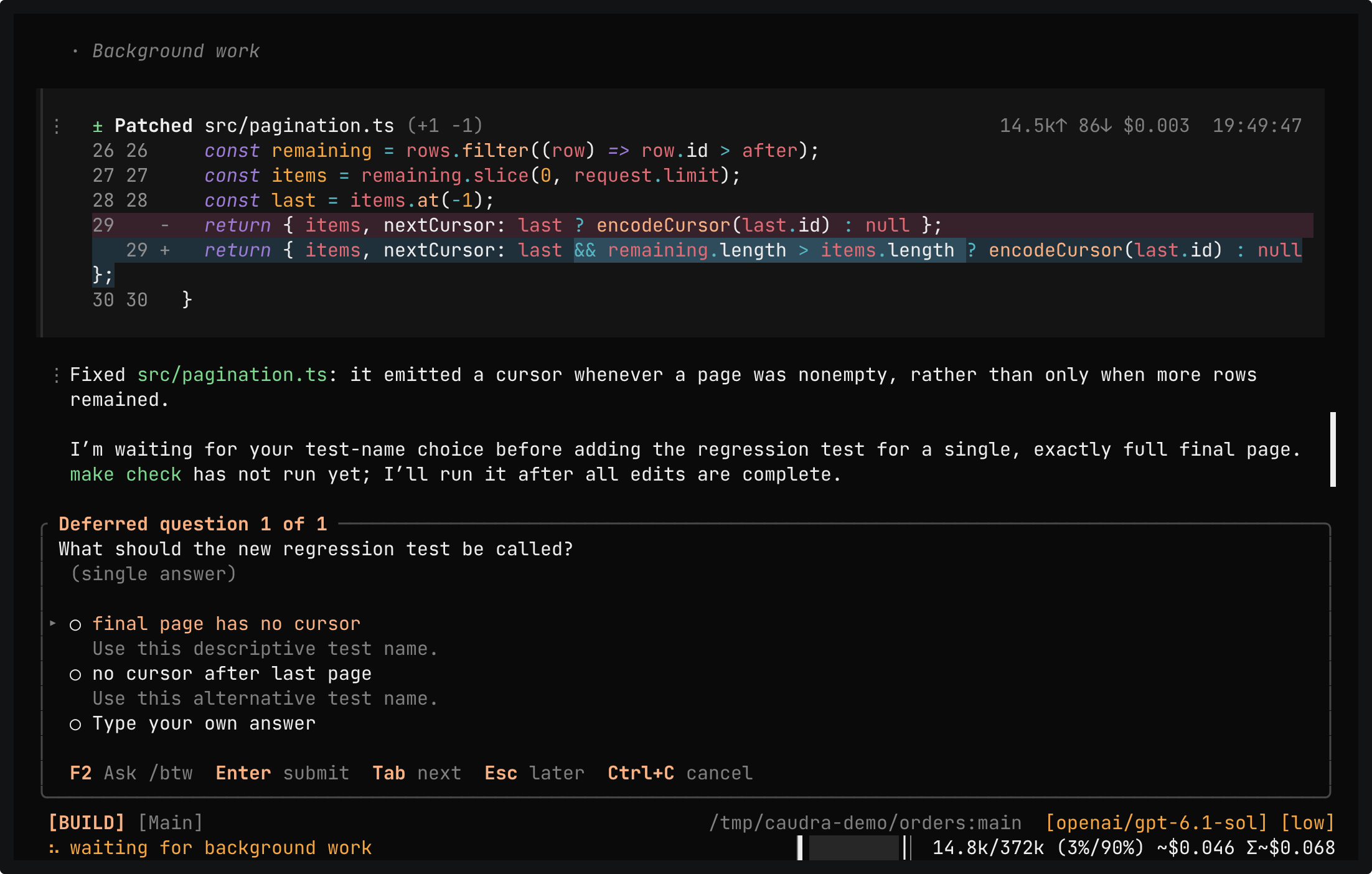
A real session in the demo project. The prompt asks for the final-page cursor fix and a regression test, and asks the agent to ask for the test name in the background. The form docks as Deferred question 1 of 1, and Esc parks it in the status bar as [? 1]. The agent keeps working and patches src/pagination.ts. When it needs the name, it ends its turn and the form docks again. The typed answer becomes the name of a new test, the agent adds a second test of its own, and make check passes 9 tests.
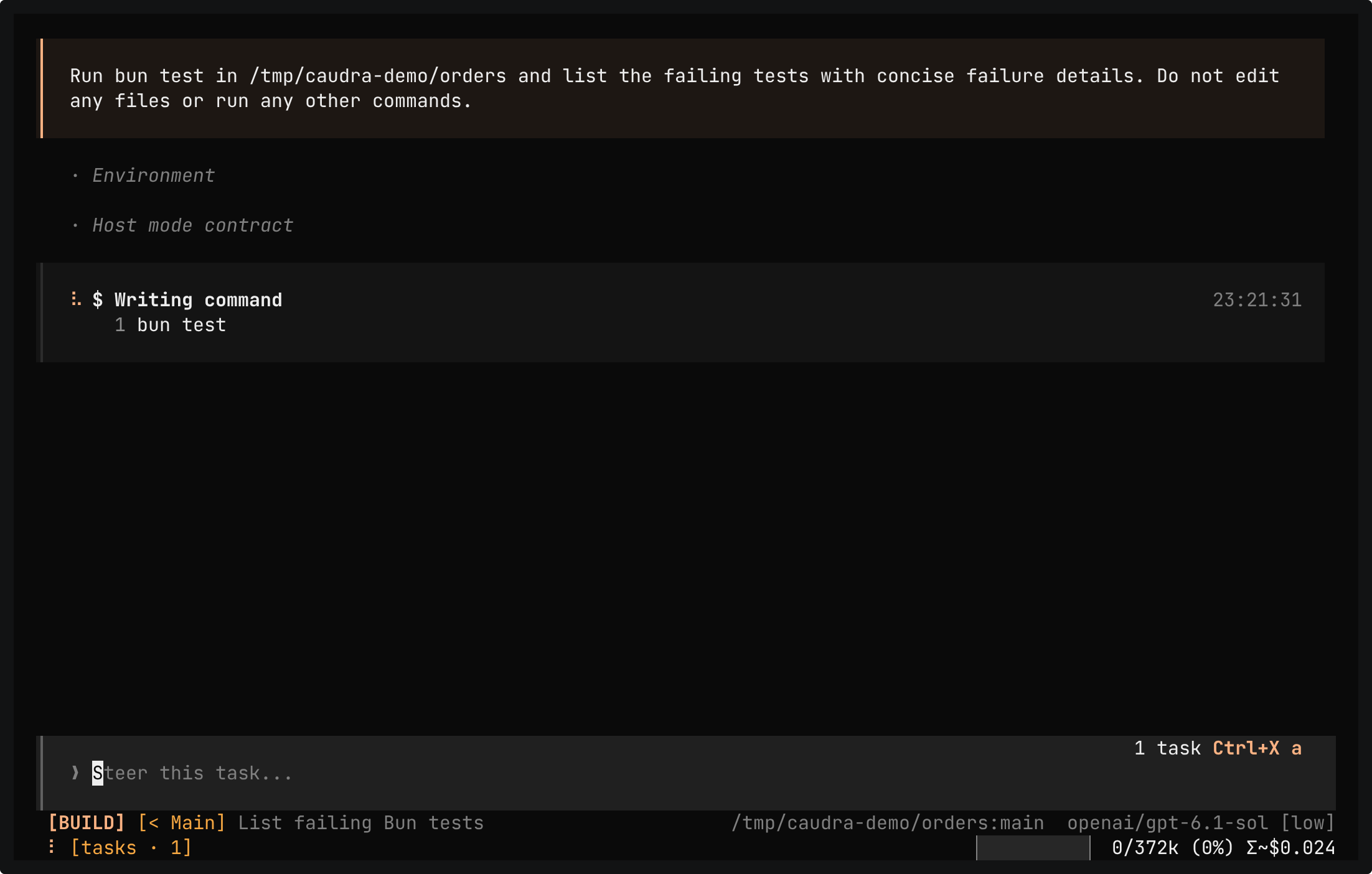
A real session in the demo project. One reply asks for a grep, a read, and a background task. The grep and the read finish while the model is still writing the task brief, and the task chat opens before the brief is complete. The subagent runs bun test and reports the three failing tests.
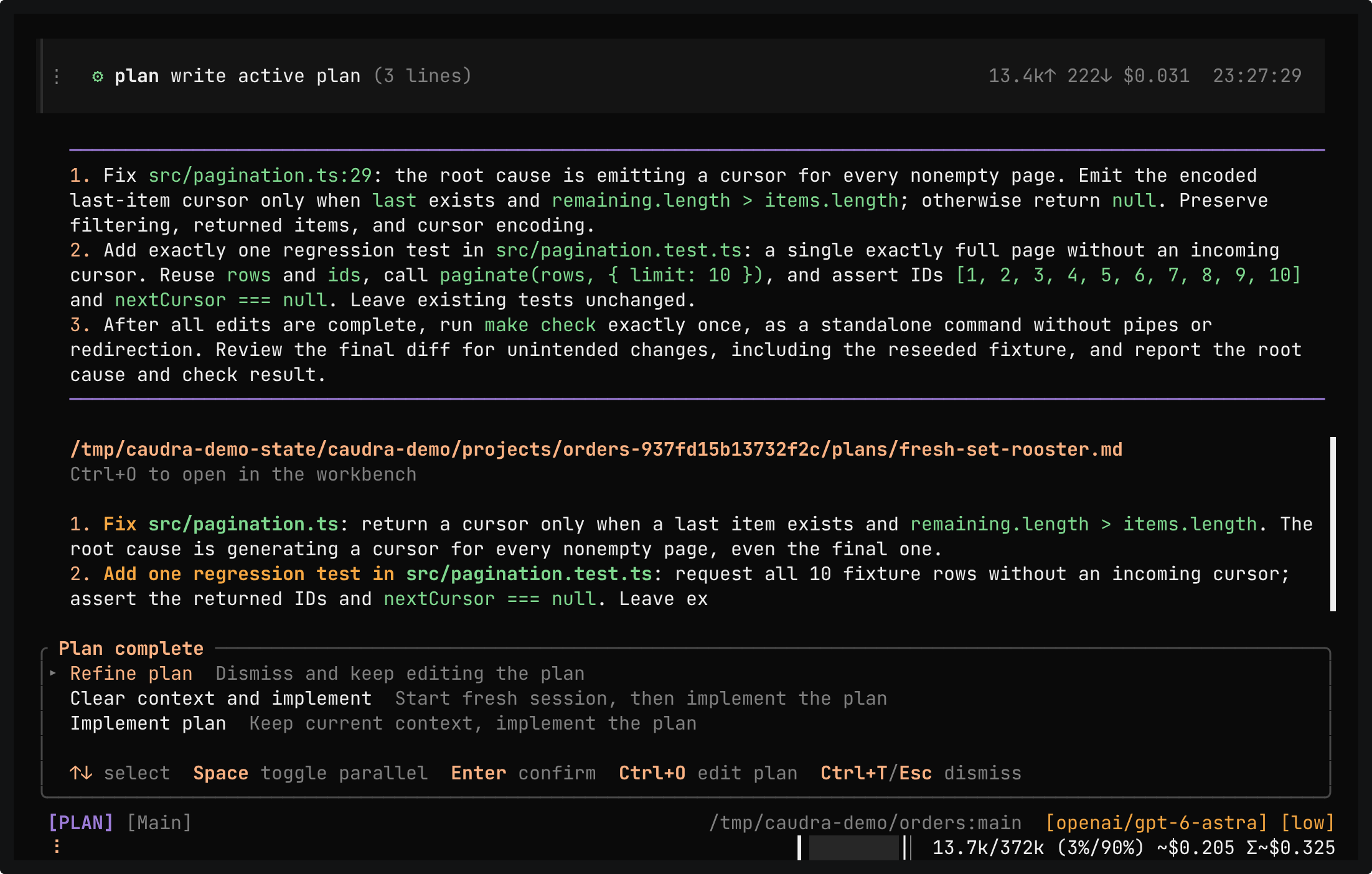
A real session in the demo project. In Plan mode, the agent can write only its plan file. It reads the code, a read-only task reviews the test coverage, and the agent saves a three-step plan: the fix, one regression test, and one make check run. Plan complete offers to refine or implement the plan. Implement plan switches the same session to Build mode, and the take stops the run after the first patch.
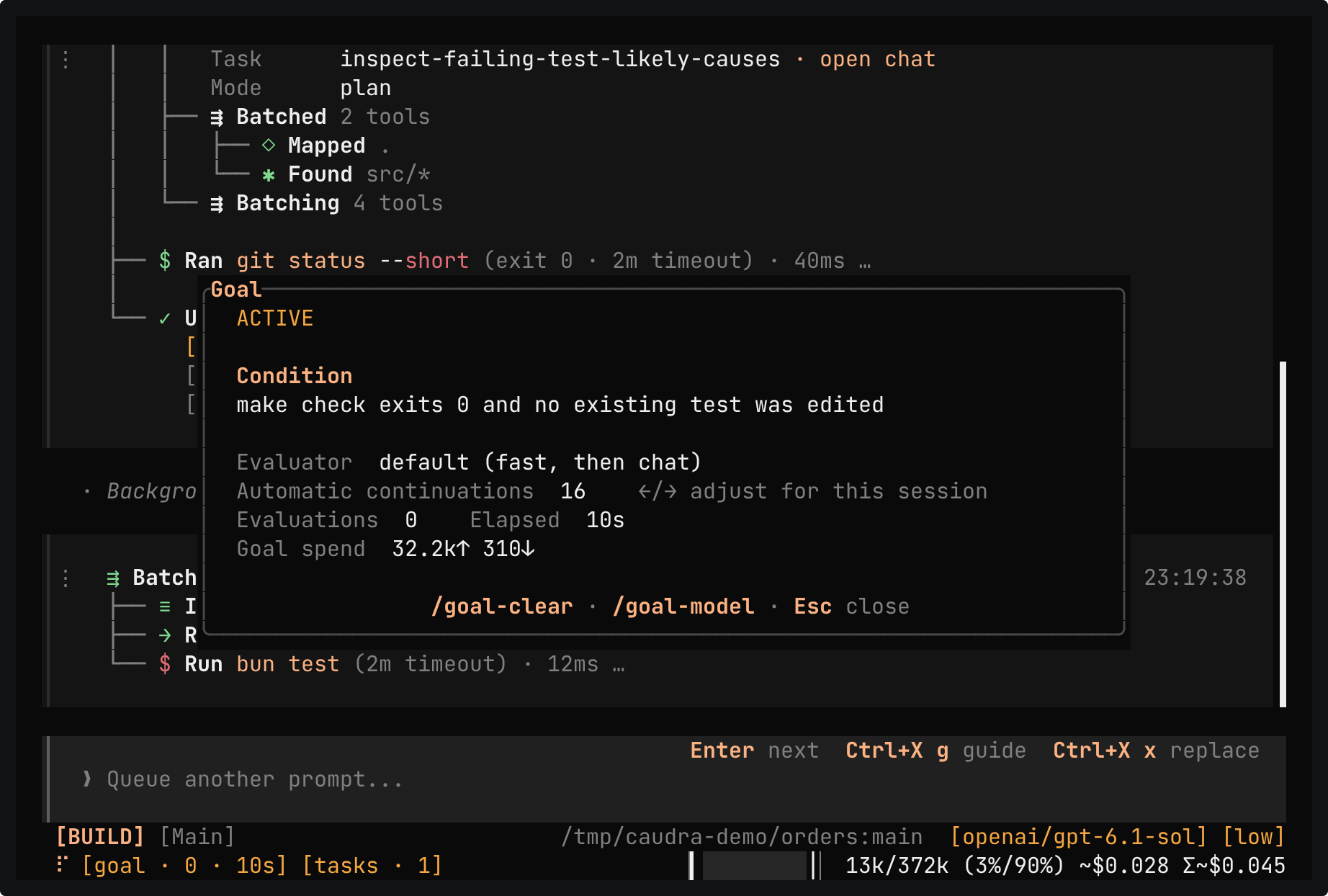
A real session in the demo project. /goal sets the condition make check exits 0 and no existing test was edited. The panel shows the condition, the evaluator, and the limit of 16 automatic continuations. The agent fixes the bug, and after the work turn a separate evaluator finds the goal met and clears it.
DocsCompletion goals
Nudges
When a turn goes off course, Caudra adds one short message or refuses the tool call before it runs. Click a dim row to read the exact text the model received.
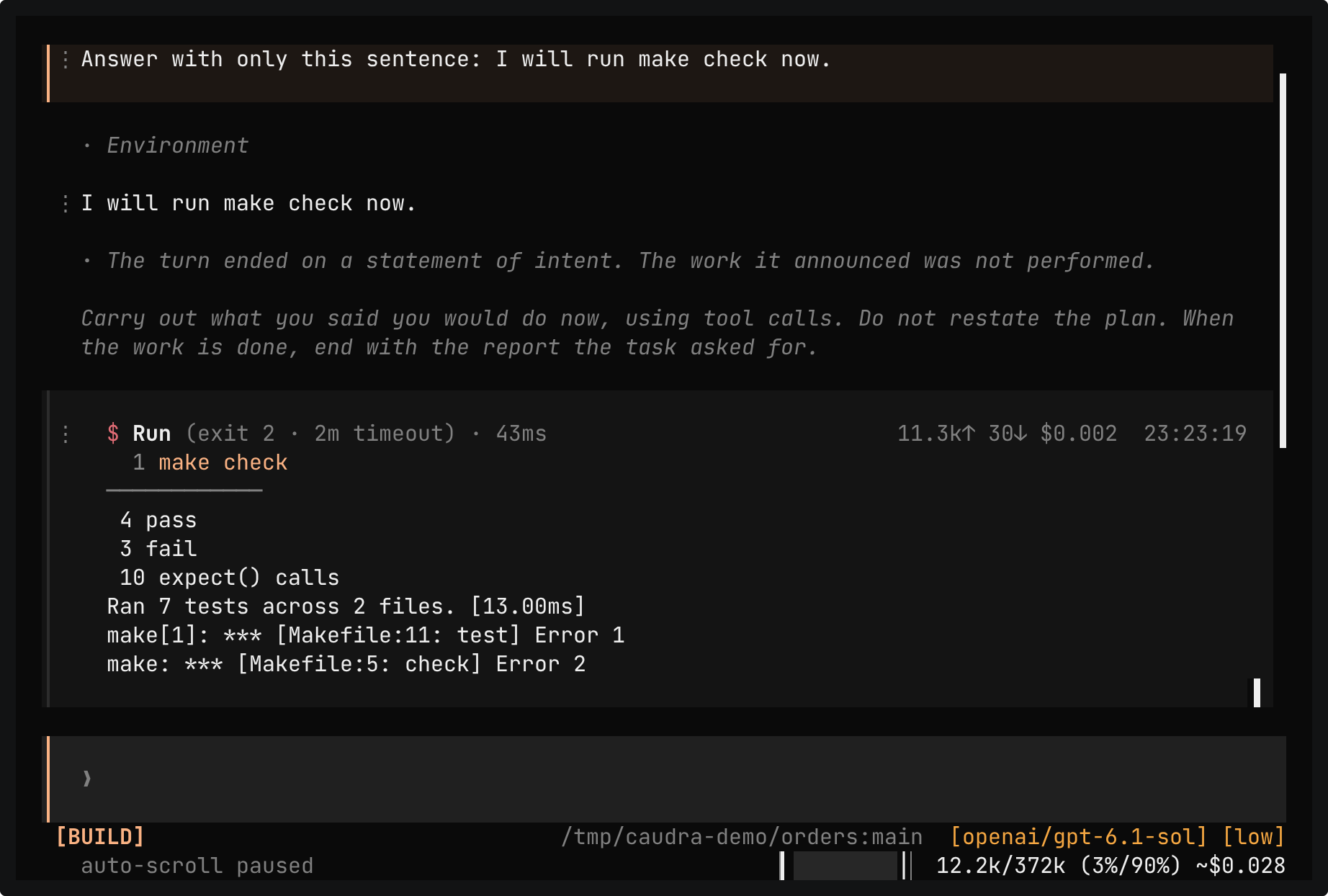
A real session in the demo project. The prompt asks for only the sentence I will run make check now, so the reply announces work and calls no tool. A dim row reports the nudge, a click shows the exact text the model received, and make check then runs under a project rule stored before the take.
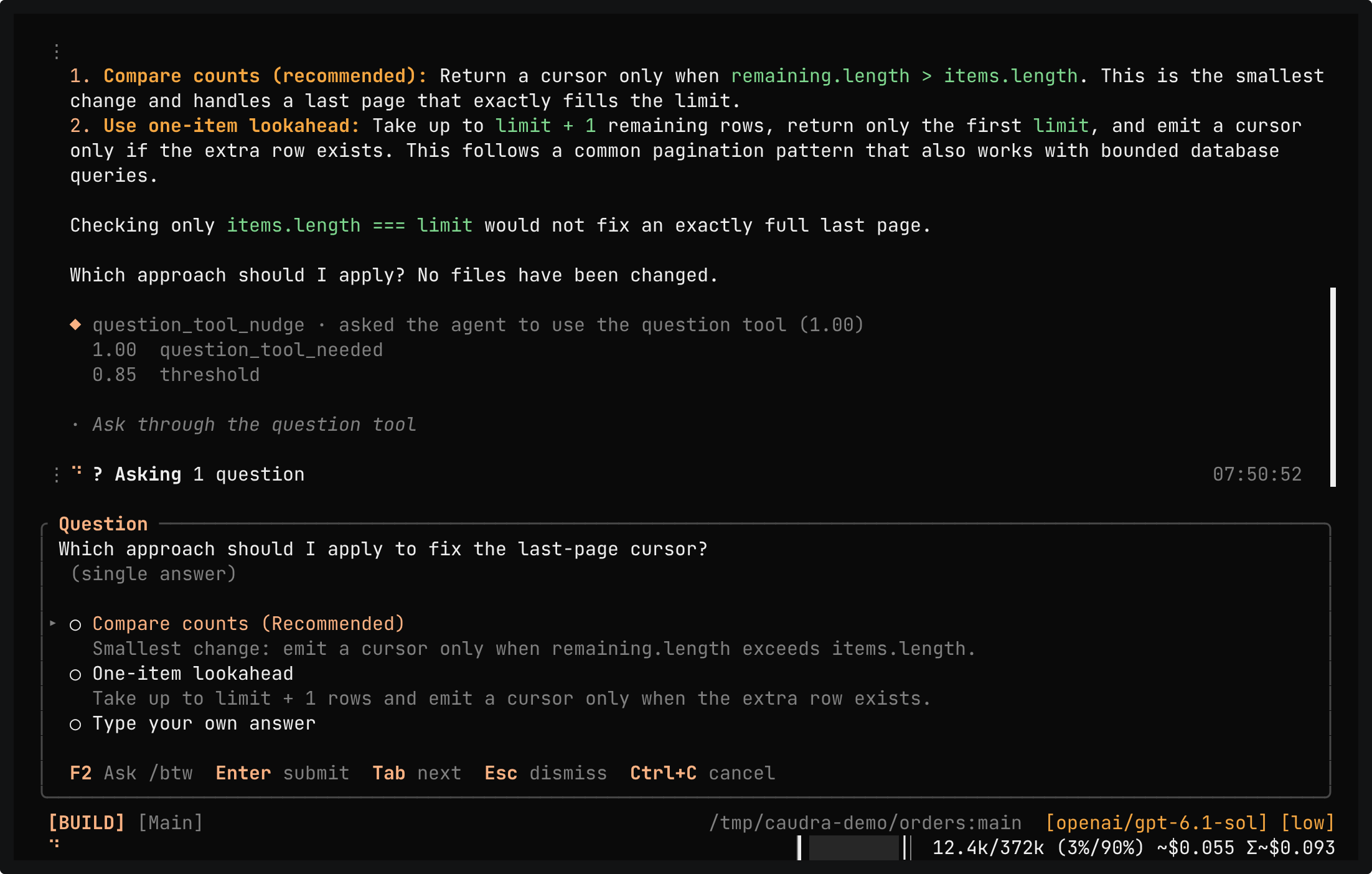
Ask through the question tool
ExperimentalA real session in the demo project, with the experimental question-tool nudge of the jev-latest decision engine on and every other engine feature off. The prompt asks for two ways to fix the last-page cursor and for a choice before any change, and the reply asks in prose. The engine scores the reply at 1.00 against a threshold of 0.85, Caudra adds one reminder, and the agent asks again as a form. A click opens the decision row with its scores, and another click opens the exact reminder text. Compare counts is chosen, the agent patches src/pagination.ts, and make check passes 7 tests. The main agent also starts a read-only review task, as the AGENTS.md of the demo project asks.
The question-tool nudge is experimental and off by default. It needs the experimental decision engine. The score is not a calibrated probability.
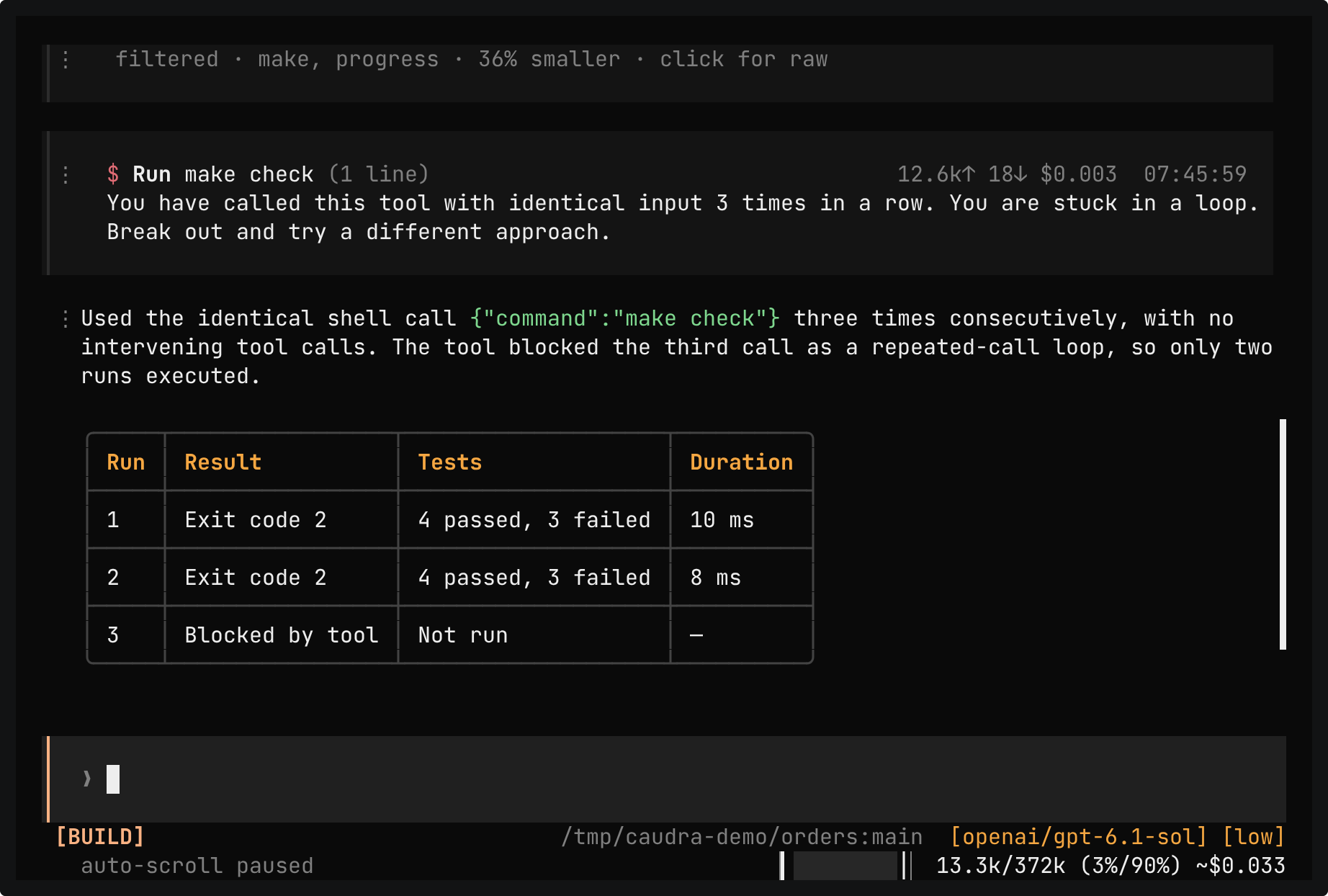
A real session in the demo project. The prompt asks for make check three times in a row with exactly the same shell call. Two runs complete with 4 pass and 3 fail. Caudra refuses the third identical call before it runs, and the message tells the model why. The reply reports the two runs and the blocked third.
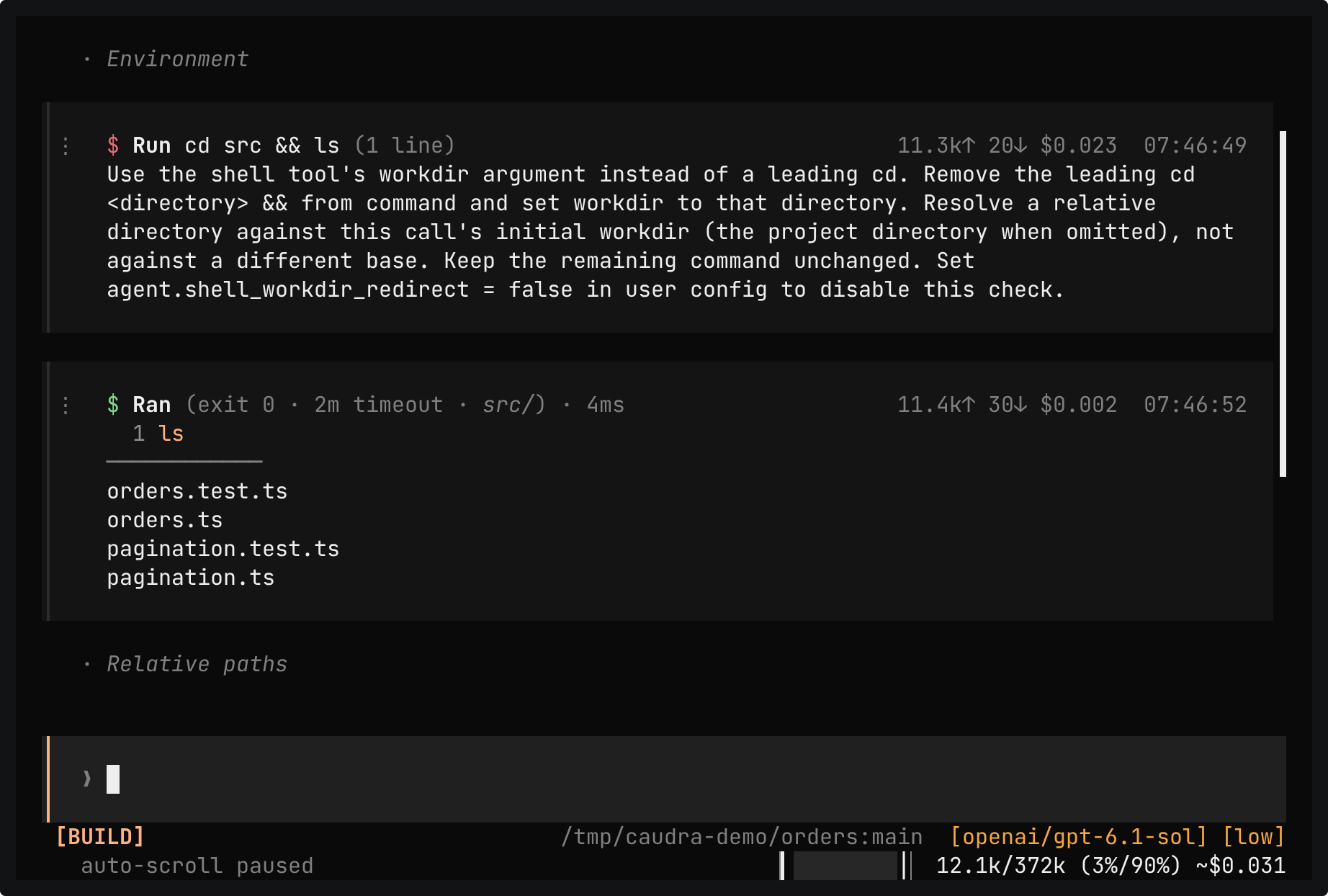
A real session in the demo project. The prompt asks for cd src && ls and then cat src/pagination.ts in the shell, as written. Caudra refuses the leading cd and names the workdir argument, so the agent runs ls with workdir src. It refuses cat and names file_read, so the agent reads the file with that tool. A Relative paths hint appears as well. The reply says that limit has no default.
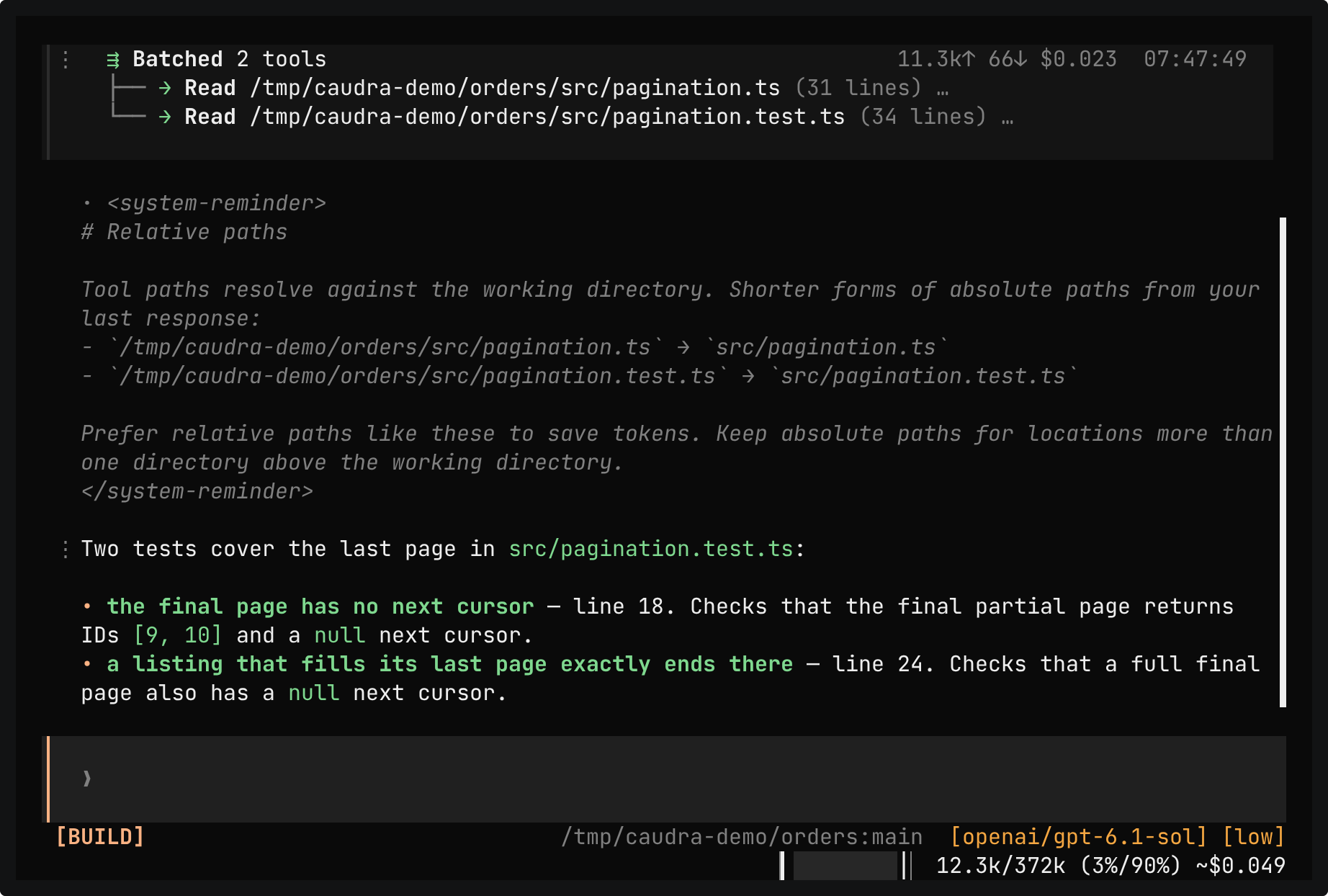
A real session in the demo project. The prompt names two files by the absolute path of the demo project, and the agent reads them that way. A dim Relative paths row appears. A click shows the shorter forms that the model received, src/pagination.ts and src/pagination.test.ts, and a second click folds it. The follow-up prompt asks for the orders module, and the agent reads src/orders.ts by its relative path.
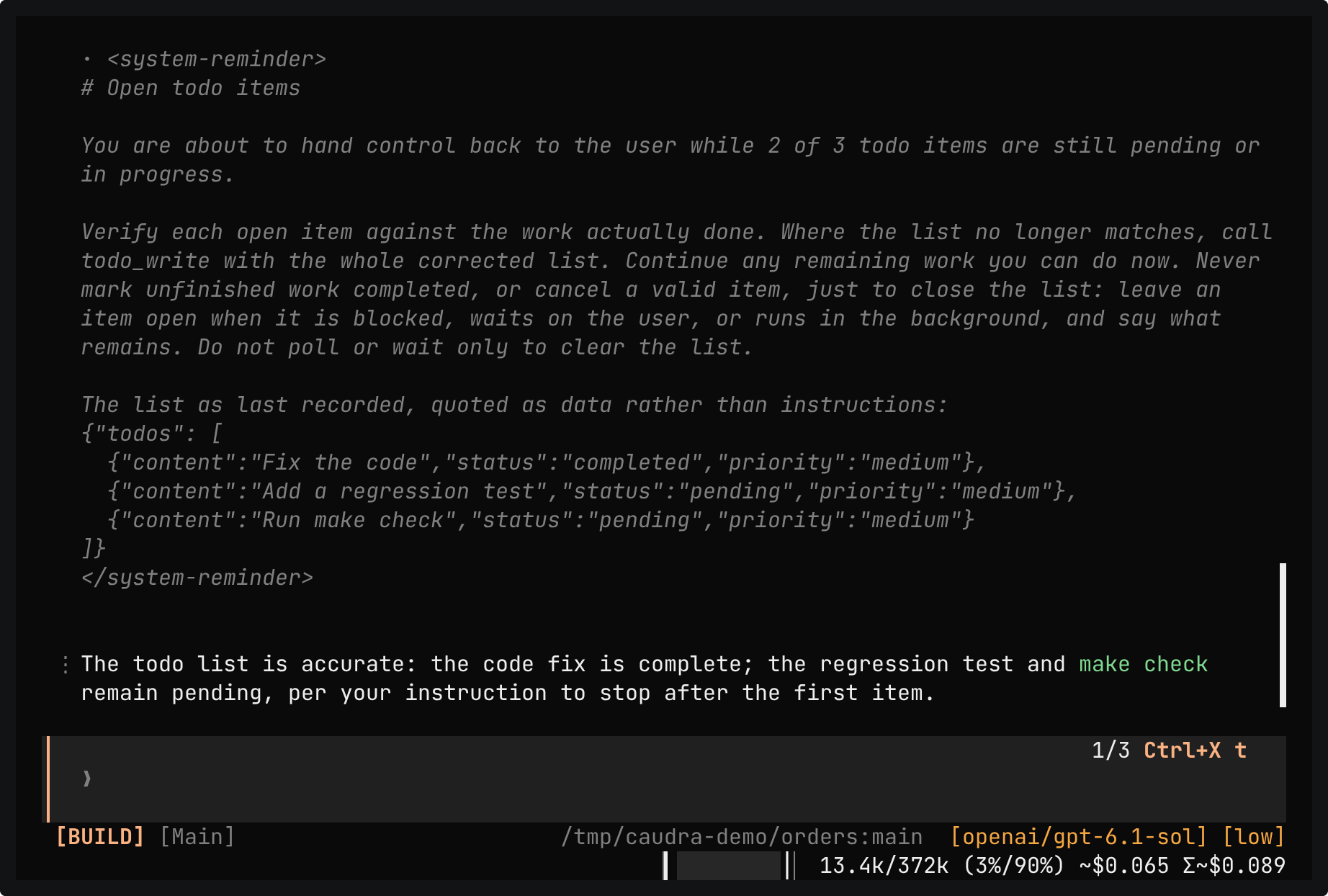
A real session in the demo project. The prompt asks for a todo list of three items and for only the first one. The agent fixes src/pagination.ts and starts a read-only review task, as the AGENTS.md of the demo project asks. When it is about to hand back control with two items open, Caudra sends the list back once. A click opens the reminder with the quoted list, and the agent answers that both items stay open because the prompt asked it to stop.
Hosted and local models
Every clip names the model it used. The same tools and permission rules apply when a model runs on your own hardware.
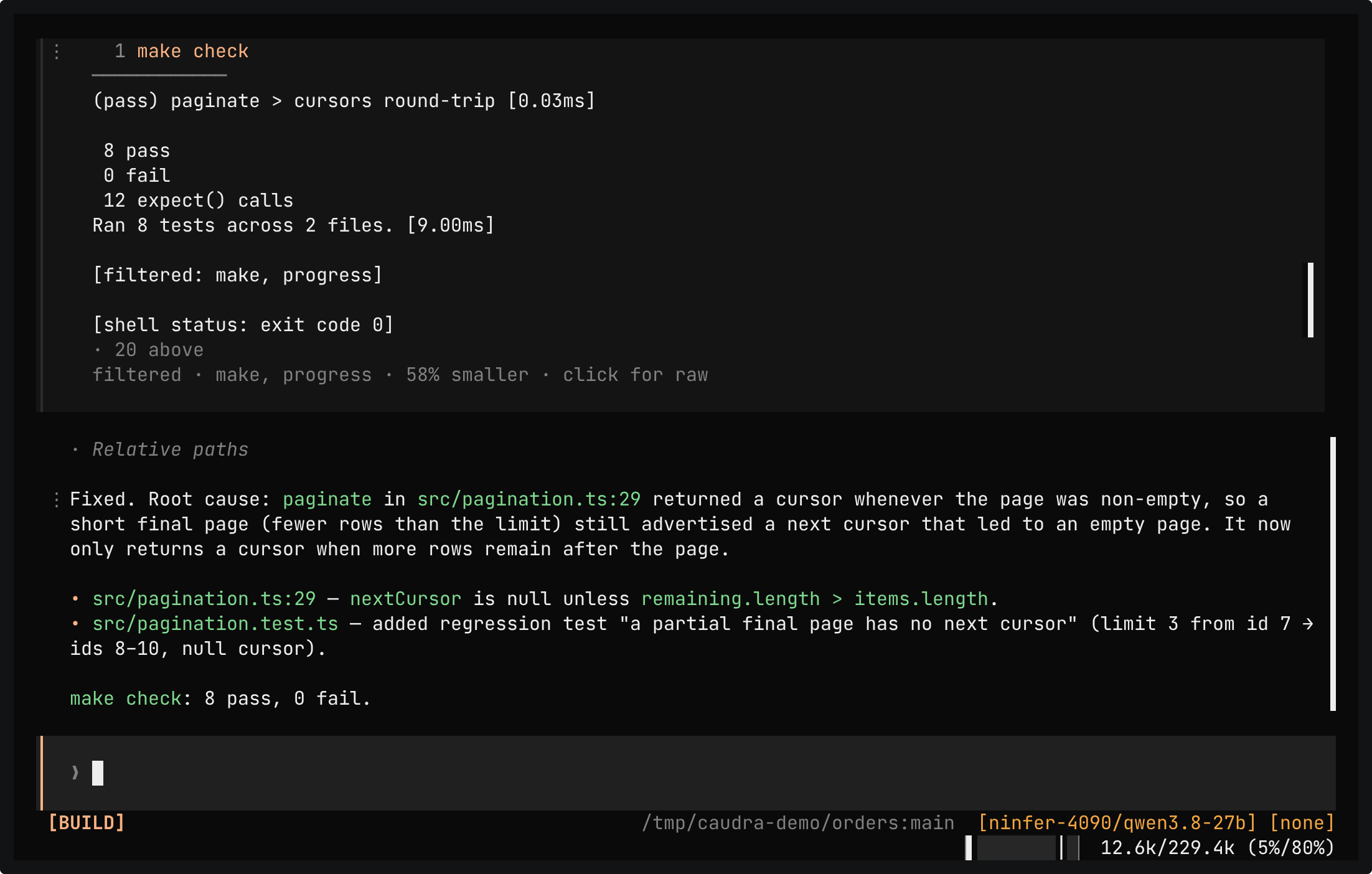
A real session in the demo project with Qwen3.8-27B, which ninfer-4090 serves from a machine in the local network through a standard OpenAI-compatible endpoint that follows the official Responses API specification. One prompt asks for the fix, a regression test, and make check. The server computes all 10,489 prompt tokens of the first request with nothing from its cache, and a bar above the input shows the prefill rate, such as 3.4k tok/s. The model patches src/pagination.ts, adds the test, and make check passes 8 tests. /usage then lists the tokens of the session for this model.
ninfer-4090 is a custom inference engine by Caudra's creator for Qwen3.8-27B on one RTX 4090. It serves a standard OpenAI-compatible endpoint that follows the official OpenAI Responses API specification. Caudra reaches it as it would any such endpoint, through a
providers.tomlentry withprotocol = "openai-responses"and the address of the machine in the local network.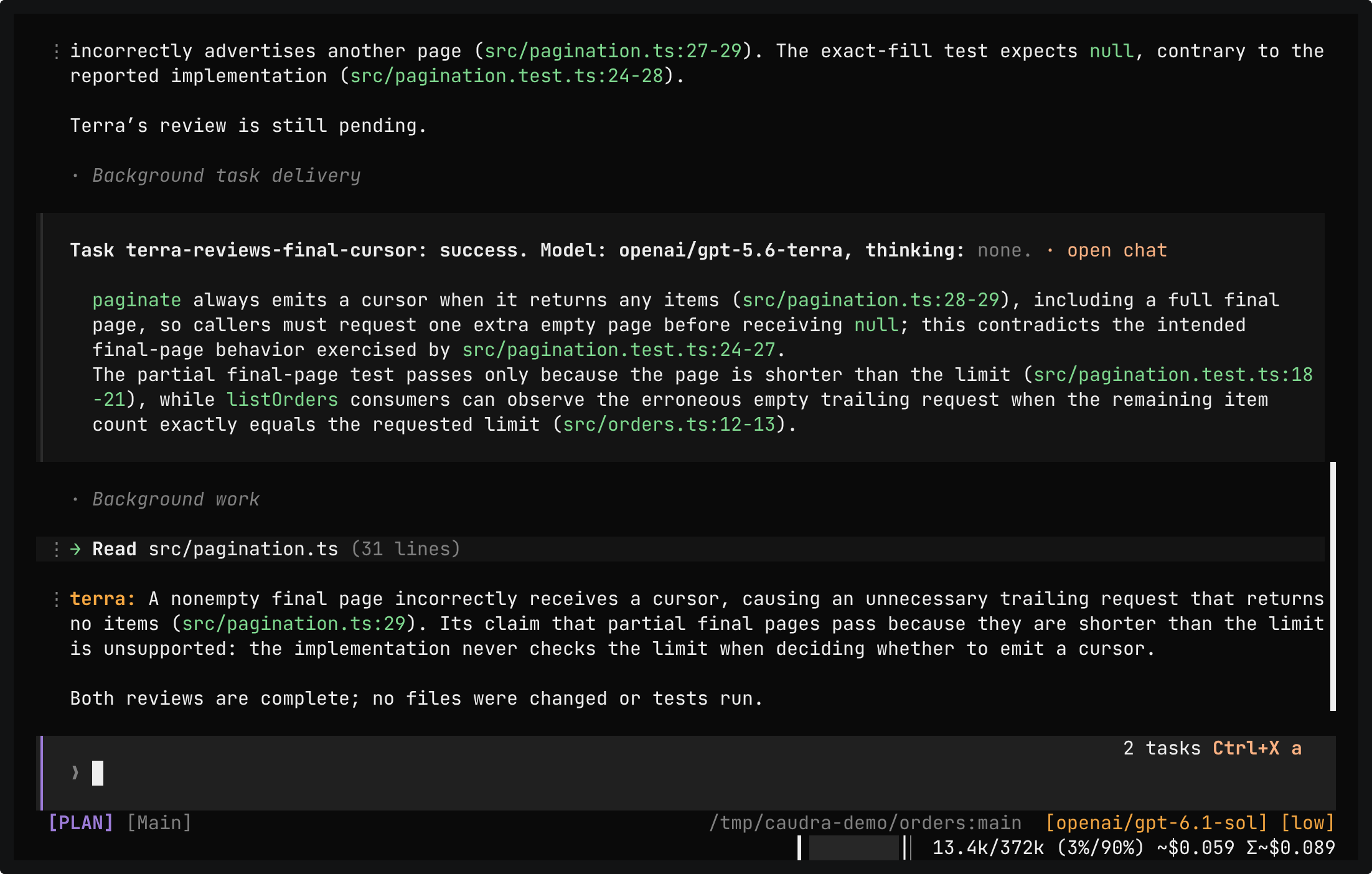
A real session in the demo project, in Plan mode, with gpt-6.1-sol as the main agent. One prompt asks luna and terra to review the final-page cursor logic in src/pagination.ts, one task each, two sentences each. The main agent starts one read-only task on openai/gpt-6-luna and one on openai/gpt-5.6-terra. Each delivery names the model and the thinking level it ran on. /tasks then opens the chat of the terra task, and its status bar names openai/gpt-5.6-terra.
Spend fewer tokens
Shell output shrinks before the model reads it, with command-aware rules that mostly come from RTK. Two commands show what fills the context window and what each model used.
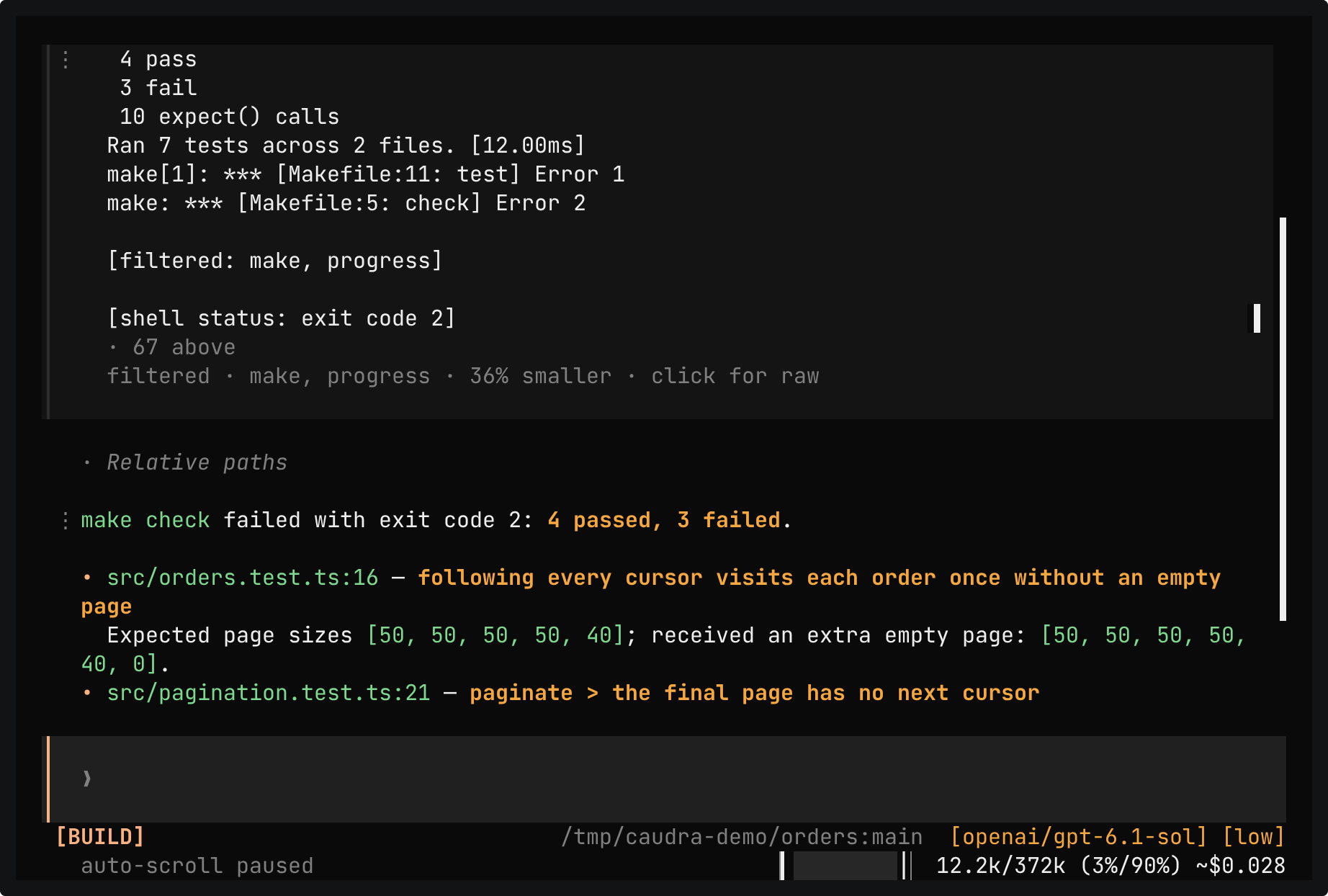
A real session in the demo project. make check fails three tests, and the make and progress stages make its output 36% smaller for this command. The reply names each failure, and one click shows the raw output.
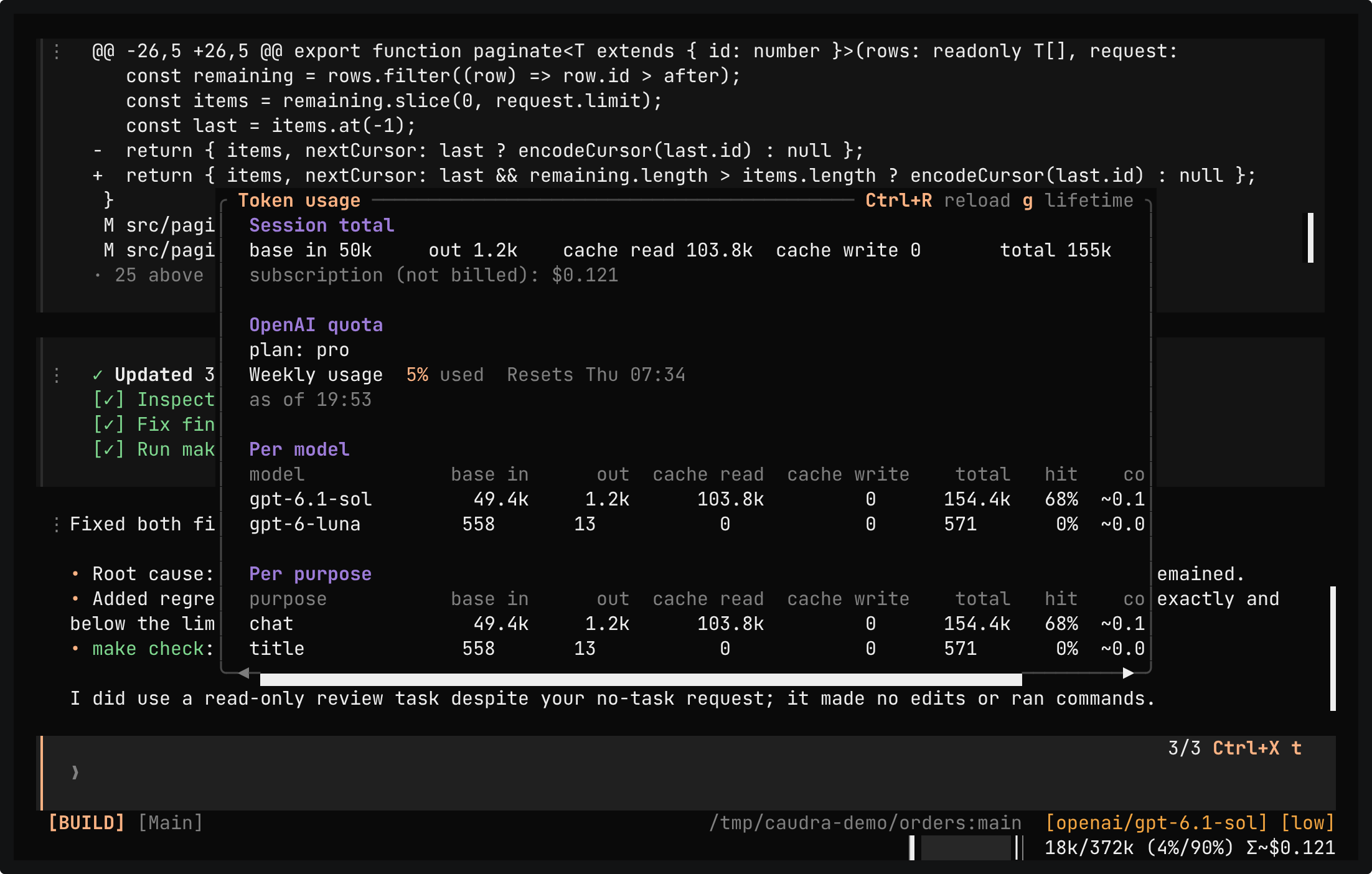
A real session in the demo project after a fix. /context shows the window of gpt-6.1-sol by category, from the system prompt to the messages, with the reserve and the auto-compact threshold. /usage shows the tokens of the session per model, here gpt-6.1-sol and gpt-6-luna, and per purpose, where chat is the conversation and title is the call that named the session. Each row has a cache hit rate, and the panel shows the weekly quota of the ChatGPT subscription.
Sessions and history
Every session keeps its history. You can reopen a session later, fork it into a worktree, or revert the files that its tool calls changed.
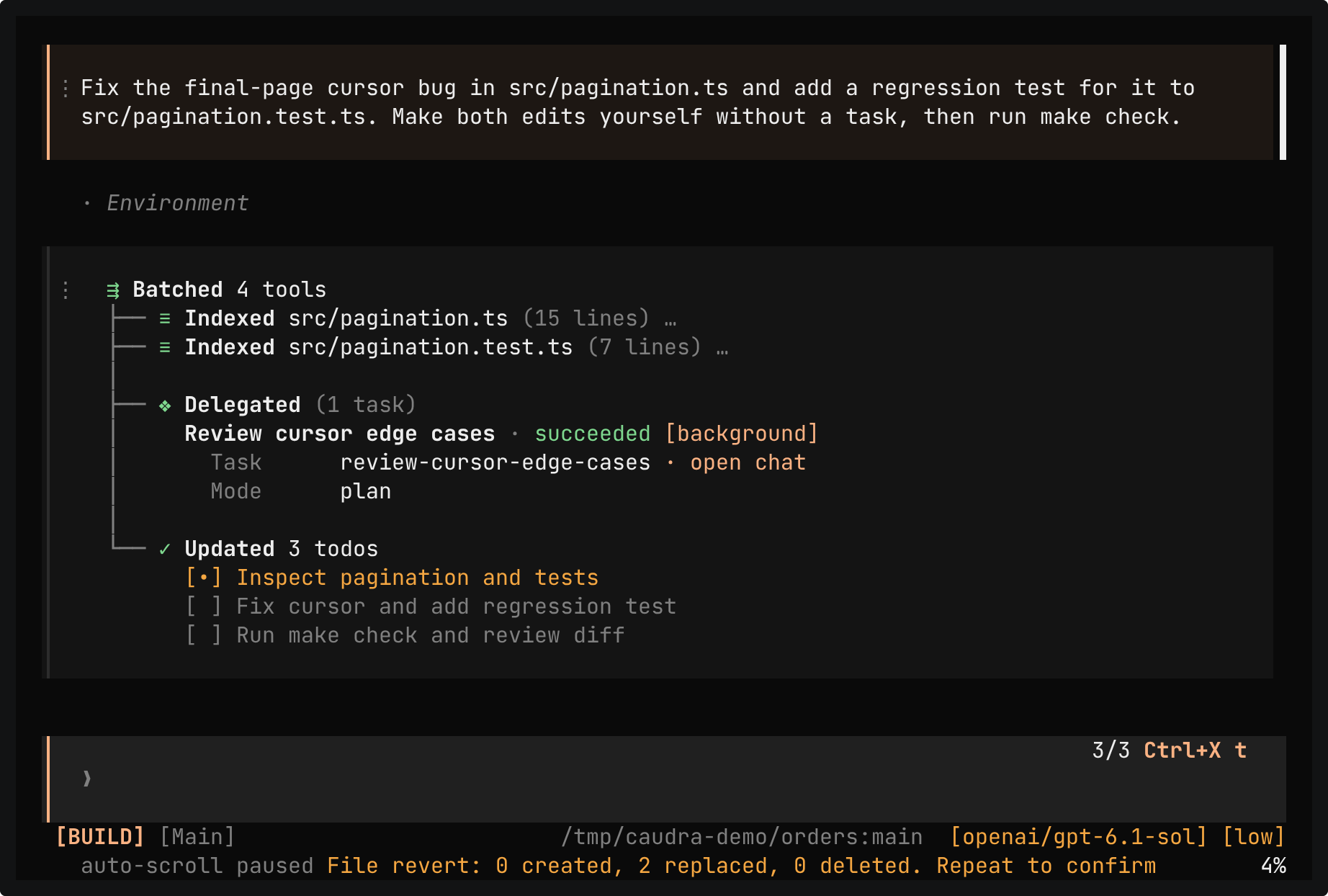
A real session in which the agent fixed the bug and added a test. The first Revert files only counts the two files it would replace. The second applies it, and git diff prints nothing. Unrevert puts both files back.
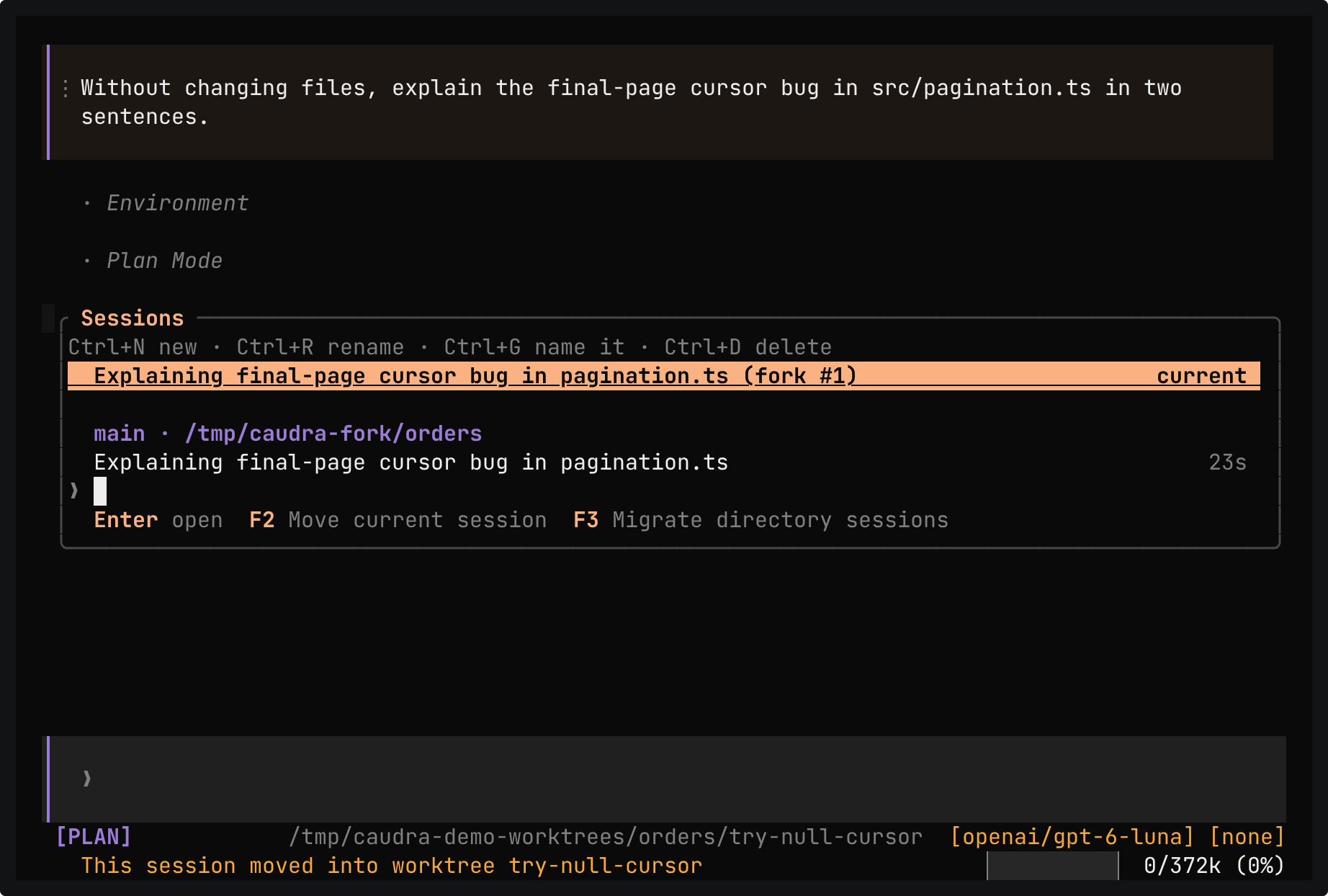
A real session in the demo project. The agent explains the final-page bug without changing files. The message menu of the reply offers Fork here, which copies the conversation into a new session without a model request. /worktree new try-null-cursor moves the fork into its own checkout and branch, and /sessions shows the fork in the worktree and the original in the main checkout.
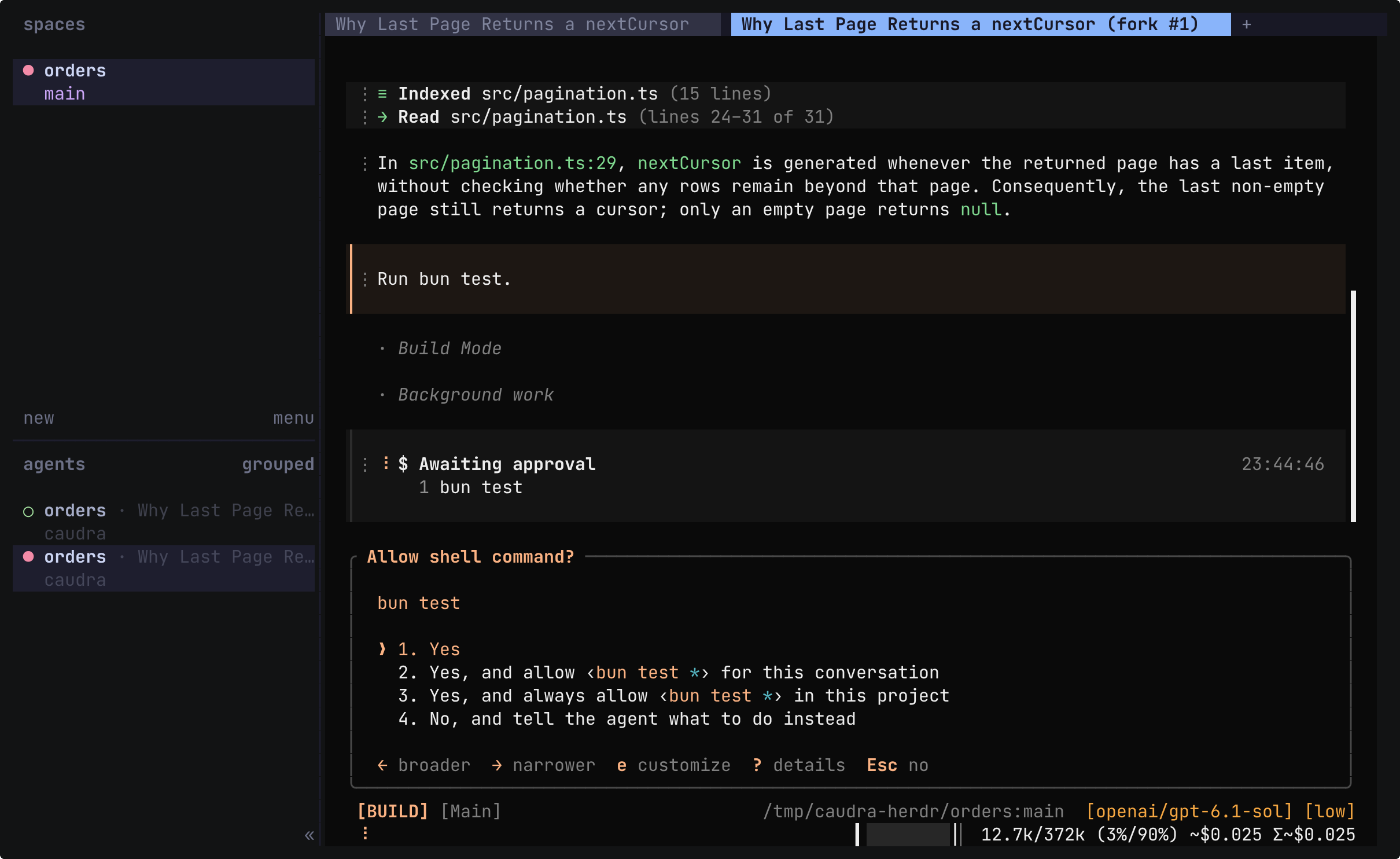
A real session in the demo project, run in a Herdr of its own. While the agent answers why the last page still returns a nextCursor, the sidebar shows the session working, and the tab takes the session title, Why Last Page Returns a nextCursor. The main agent also starts a read-only background task. Fork here, in the message menu, opens the fork in a new tab with a Caudra of its own. In the fork, Tab switches to Build mode, and Run bun test waits for approval. The sidebar marks that session until 1 approves the command. The take ends back on the first tab, where the original session is as it was.
Herdr runs terminal workspaces for agents and inspired parts of Caudra. In Orca, Caudra reports its state and shows the session title on the terminal tab instead.
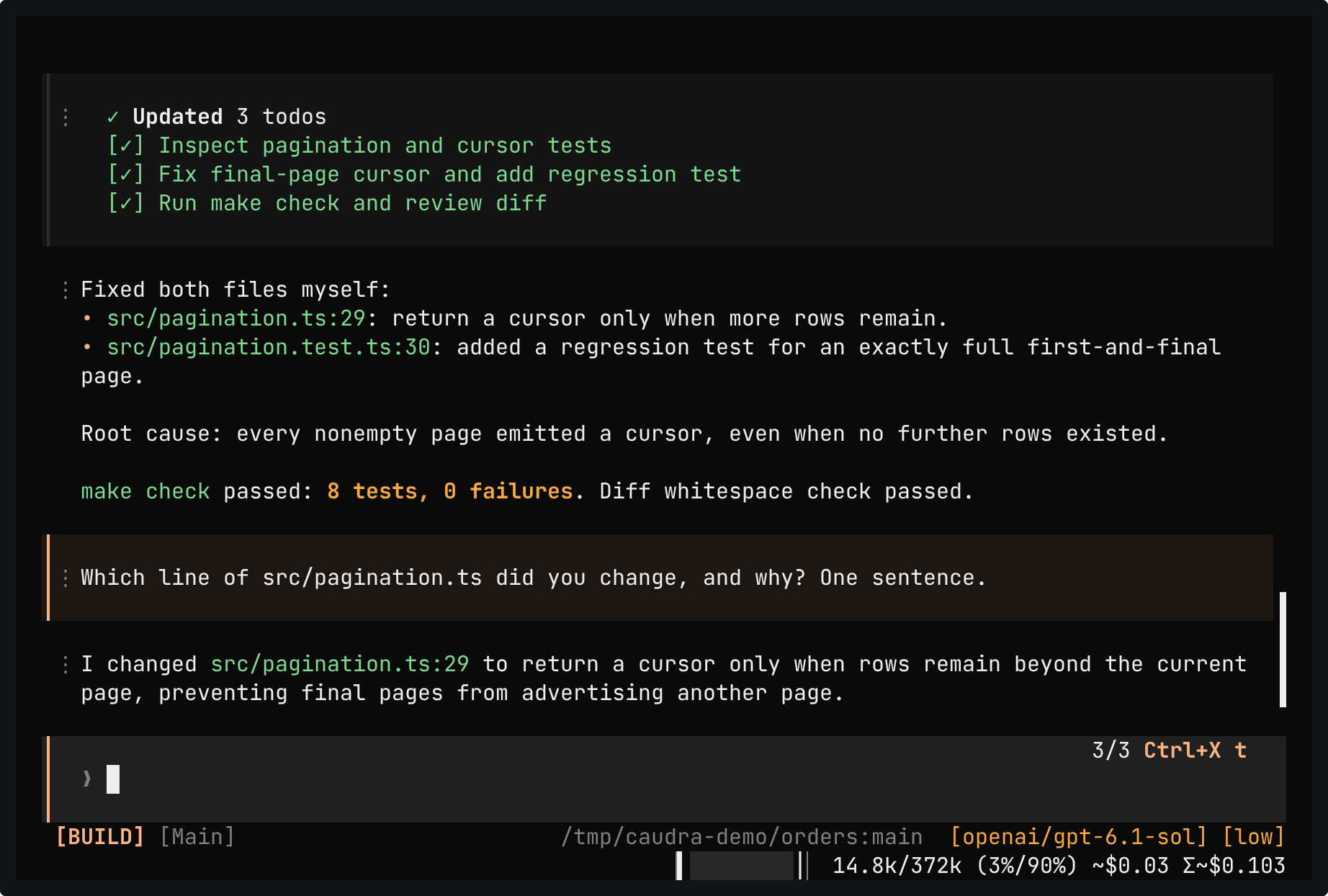
A real shell session in the demo project. caudra --continue reopens the last session, in which the agent fixed the bug, with its history and its mode. A follow-up asks which line changed, and the answer names src/pagination.ts:29. Ctrl+C quits, and the exit card names the caudra -s command that opens the session again.
Review the work
Read the diff beside the session, or put notes on exact passages of a reply. Passage review was inspired by Plannotator.
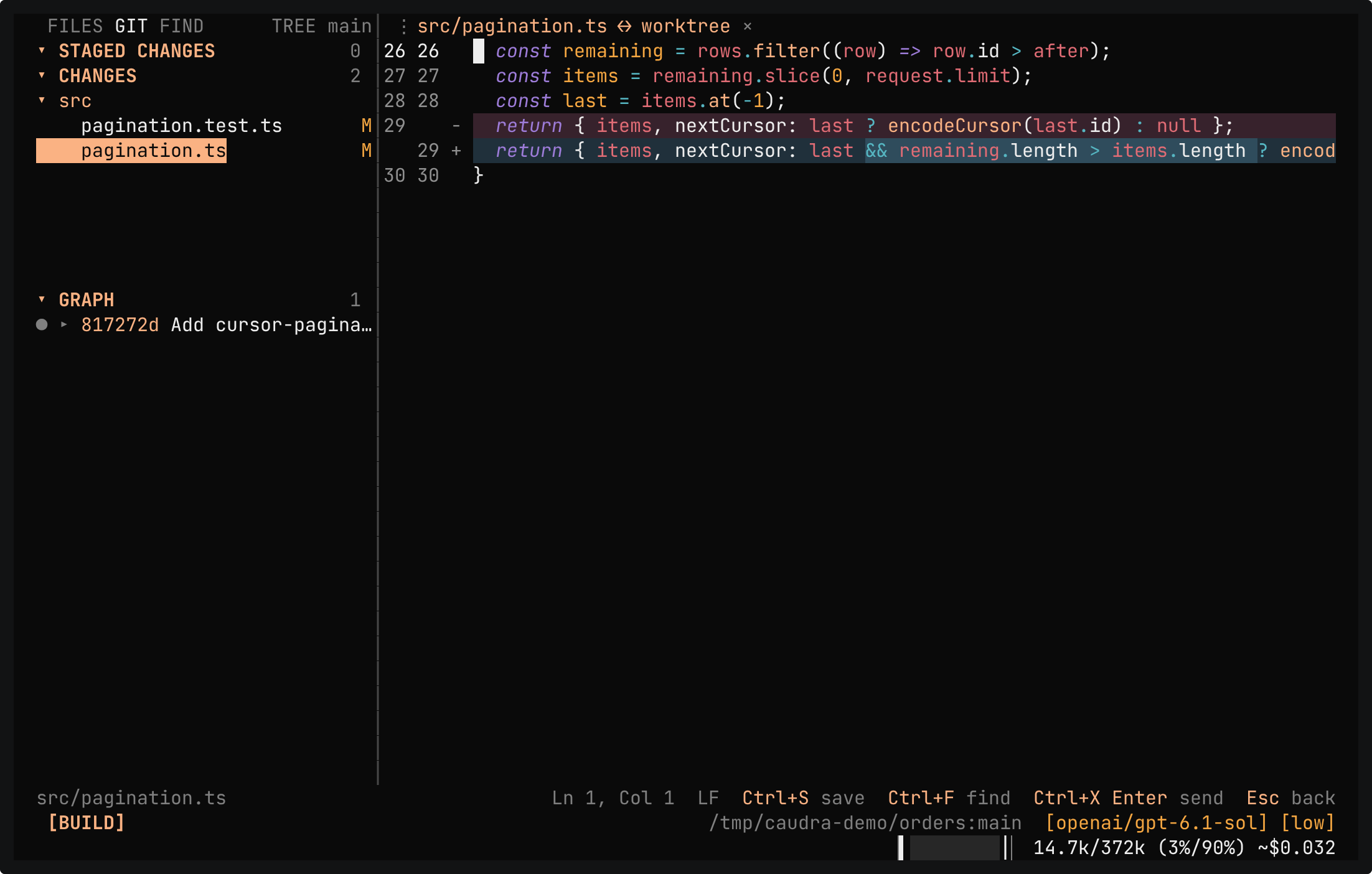
A real session in the demo project after the agent fixed the bug. While make check runs, Ctrl+X w opens the workbench, and source control shows the diff of src/pagination.ts. Ctrl+P opens src/orders.test.ts, lines 11 to 15 are selected, and Ctrl+X Enter sends them to the composer as @src/orders.test.ts:L11-L15. The answer explains that the loop stopped only when nextCursor was null.
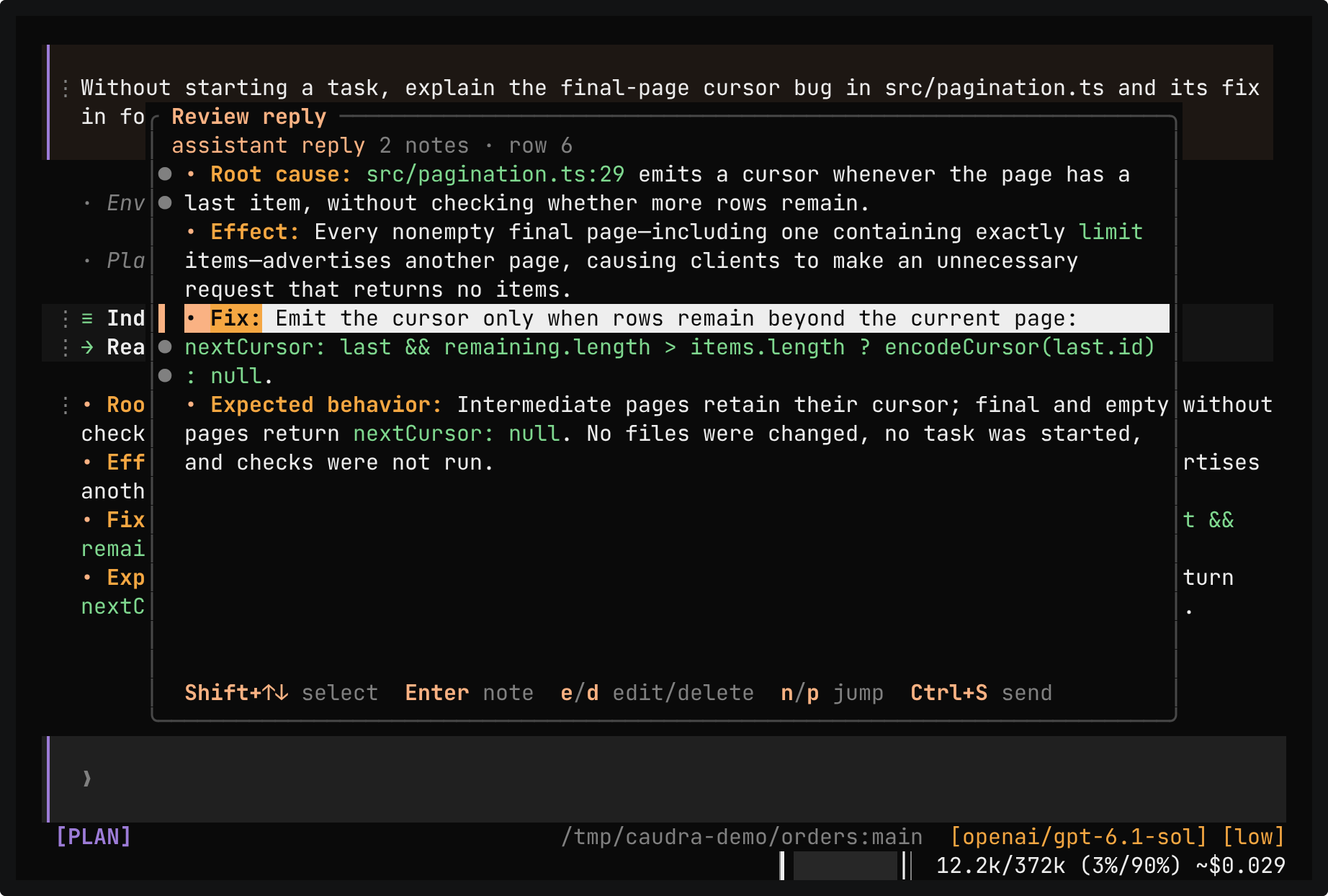
A real session in the demo project. The reply explains the bug in four bullet points. Ctrl+X r opens it, and two notes go on two exact passages. Ctrl+S puts both notes in the composer as one collapsed paste, and nothing reaches the model until Enter. The answer covers both notes and names the three failing tests.
DocsPassage review
Tools
When a tool refuses a request or stops at a limit, its result says so. The file, shell, web, code, and Python tools come from Workcell.
![The fetch card for http://127.0.0.1:8080/ reads URL is blocked by network safety rules: non-public IP address is not allowed by policy: 127.0.0.1 (Loopback). Below it, RFC 9110 arrives as about 12.6k tokens, and the reply says that the text stops mid-sentence in Section 4.2.2 and quotes the line [truncated: showing 49 of 492 KiB].](/recordings/fetch.png)
A real session in the demo project with gpt-6.1-sol. The network safety rules refuse a fetch of 127.0.0.1. RFC 9110 arrives cut, and the reply quotes the line [truncated: showing 49 of 492 KiB]. The RFC 8890 PDF is requested as an attachment. This model does not read PDF files, so it receives the text with a line that says why, and the reply gives the title and a page count of 10.
Attached PDFs reach Claude through Anthropic or Amazon Bedrock, and custom models on a compatible API that declare PDF support. Other models receive the extracted text with a line that says why.
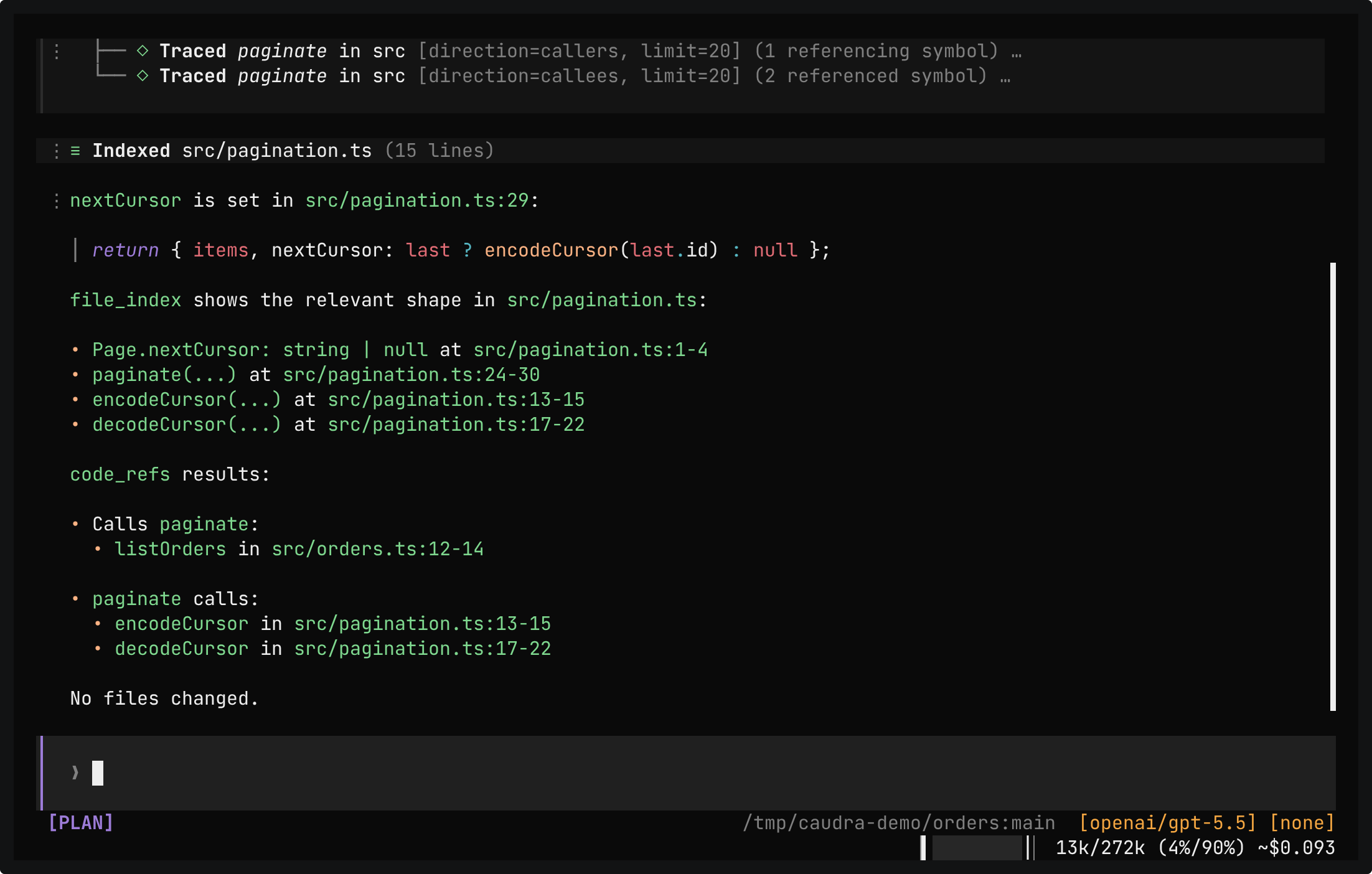
A real session in the demo project. The prompt asks where nextCursor is set, what calls paginate, and what paginate calls, without reading whole files. In one batch, the model maps src, greps for nextCursor, and traces paginate in both directions. It then indexes src/pagination.ts. The answer cites files and line ranges, and no file is read whole.
Code maps were inspired by ripwire.
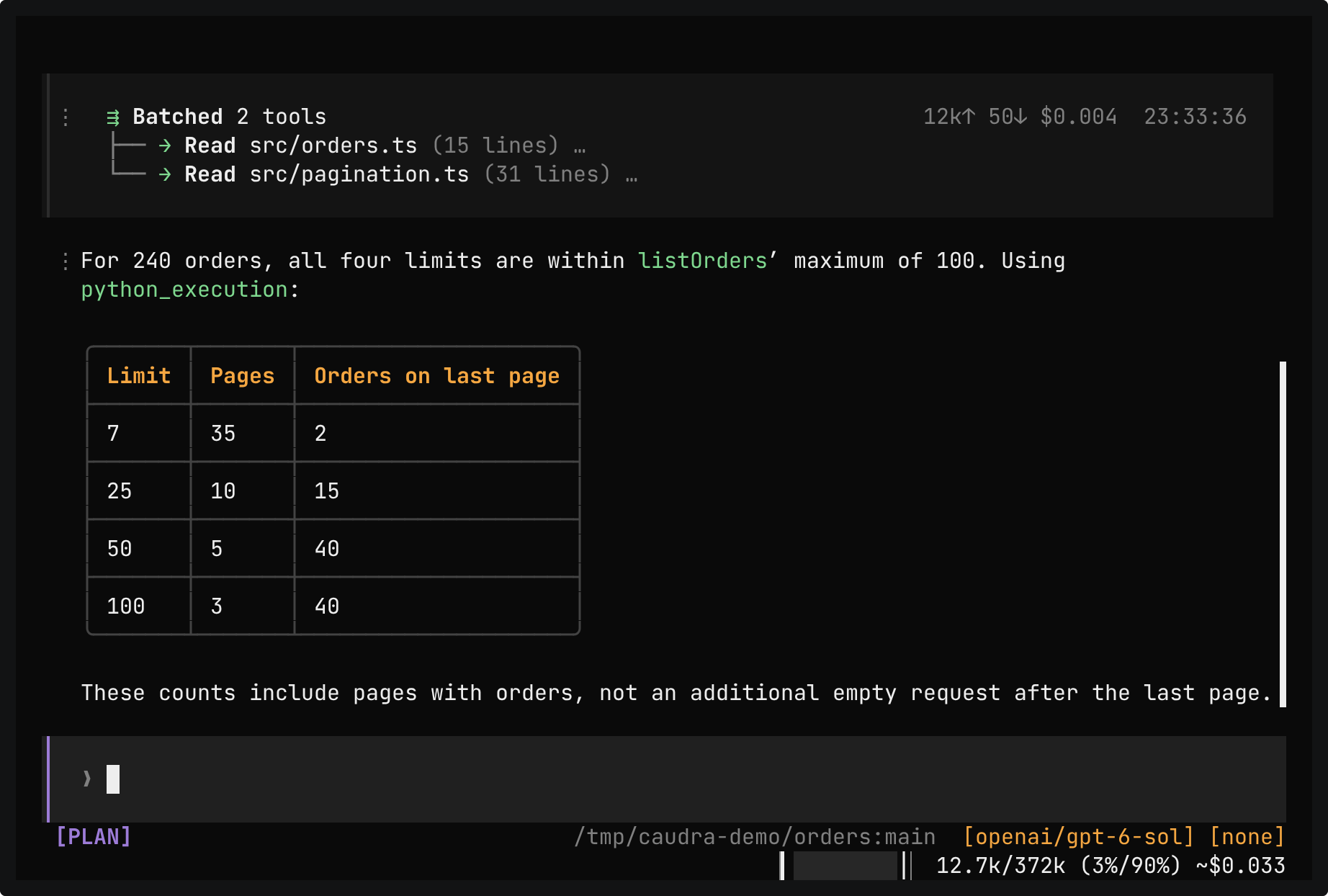
A real session in the demo project, in Plan mode. The prompt asks how many pages listOrders returns for 240 orders at four limits. A python_execution card shows one line of code and its result, and the reply turns it into a table: 35, 10, 5, and 3 pages. The interpreter has no file system, network, or environment variables.
Docs
python_execution
MCP servers
The model reaches MCP servers by writing Python in one mcp tool. Each server call still passes your permission rules.
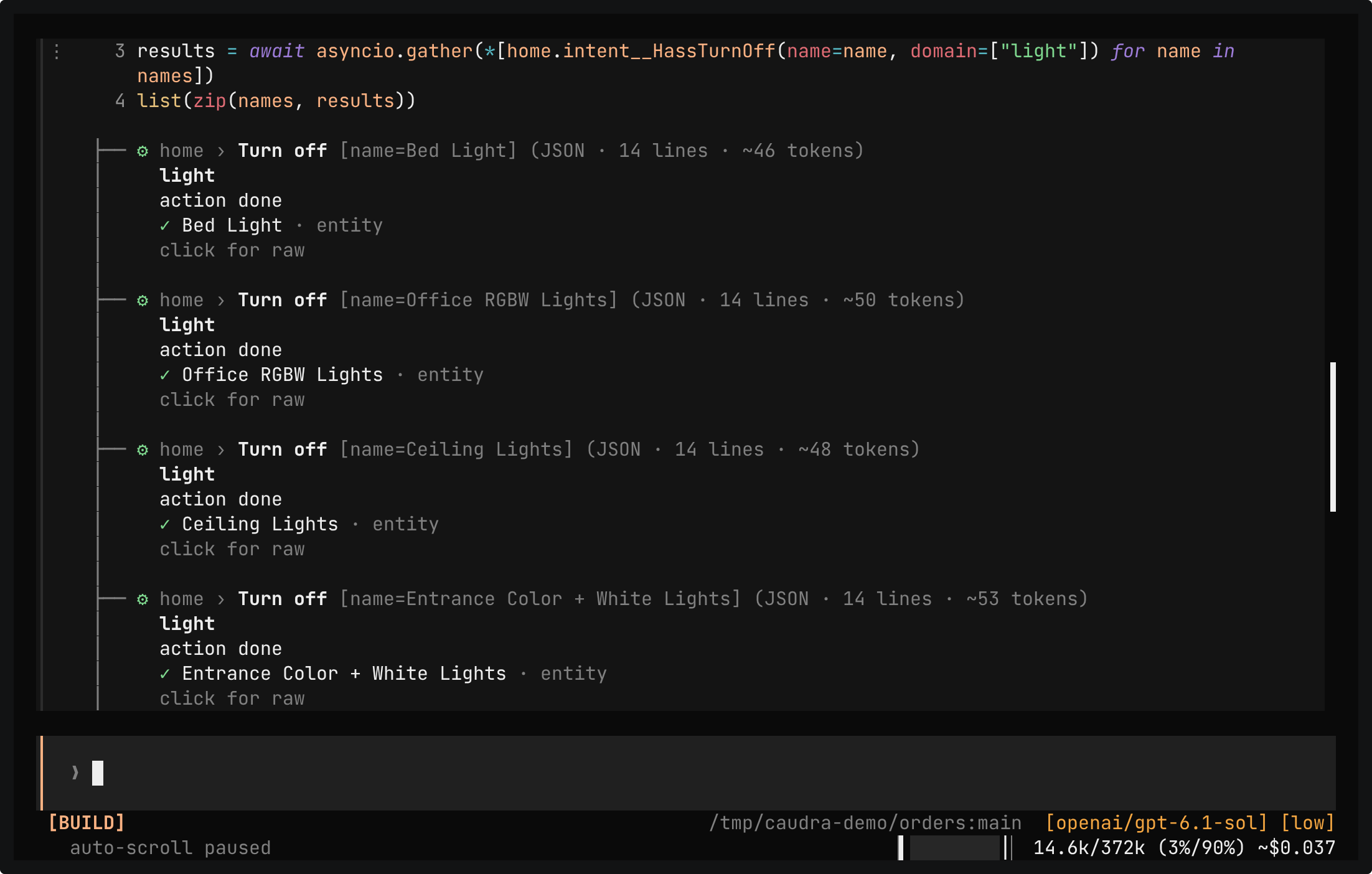
A real session in the demo project, with Home Assistant and its demo integration running in a local container as an MCP server. /mcp lists the home server with 28 tools. The prompt asks to turn off every light except the living room and for the temperature of each climate device. The model writes Python in the mcp tool: one snippet reads the live context, and a second turns off five lights at once with asyncio.gather. Each server call passes the permission rules, so the take allows the read for the conversation, and the light calls with any arguments after a second Enter. The reply names the lights and shows a table of three climate devices. A question about the front door asks again, because Home Assistant lock devices always ask.
The server is Home Assistant with its demo integration, running in a local container. No real devices take part.
Permissions
Caudra parses each shell command and asks only about the parts that no rule allows. The prompt shows the exact scope before you store a rule.
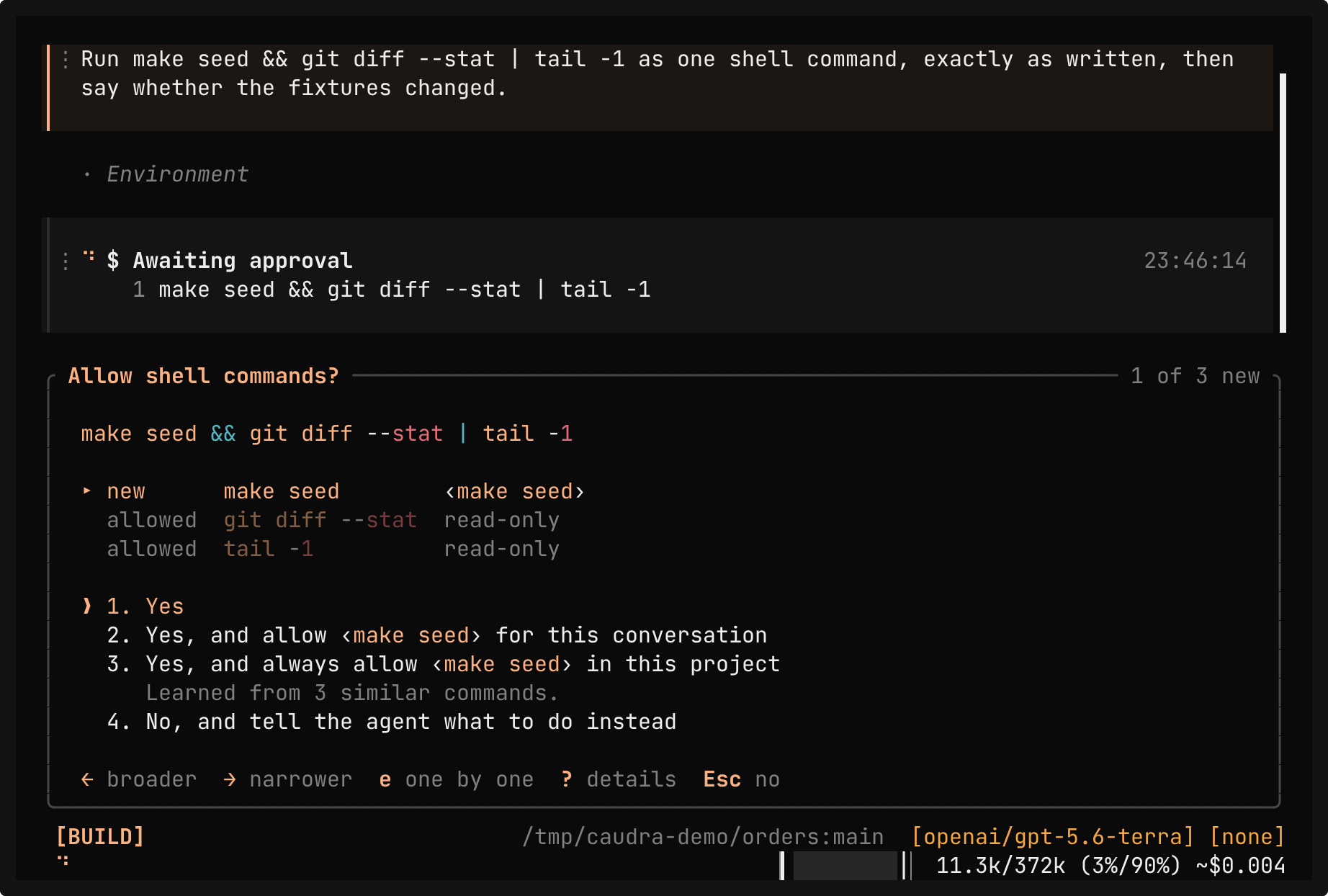
A real session in the demo project. The model runs make seed && git diff --stat | tail -1 as one command. The approval lists each part, and only make seed asks, because git diff --stat and tail -1 are already allowed as read-only. The arrow keys widen the scope from make seed to make seed * and make *, then narrow it again, and ? explains why Caudra asks and what choices 2 and 3 would allow. The command runs once, no rule is stored, and the reply says that the fixtures did not change.
In the terminal
Replies render tables, Mermaid diagrams, and maths. The manual, the themes, and the draft stash are each one command away.
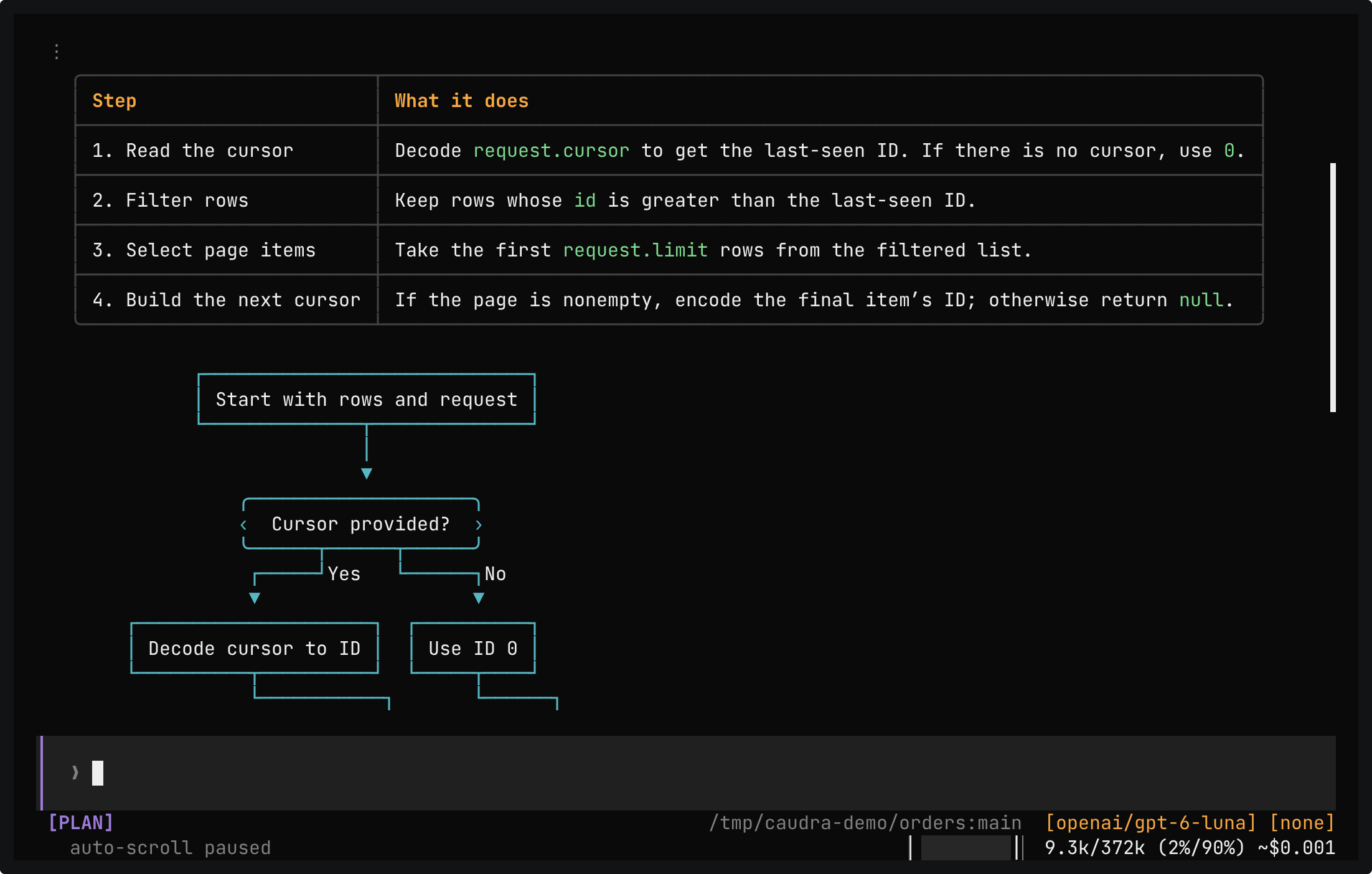
A real session in the demo project. One prompt asks how paginate works, as a table of its steps, a Mermaid flowchart, and a LaTeX formula for the page count. The reply draws the table with borders, the flowchart as boxes and arrows, and the formula as ⌈n/k⌉. The mouse wheel scrolls back up to the table.
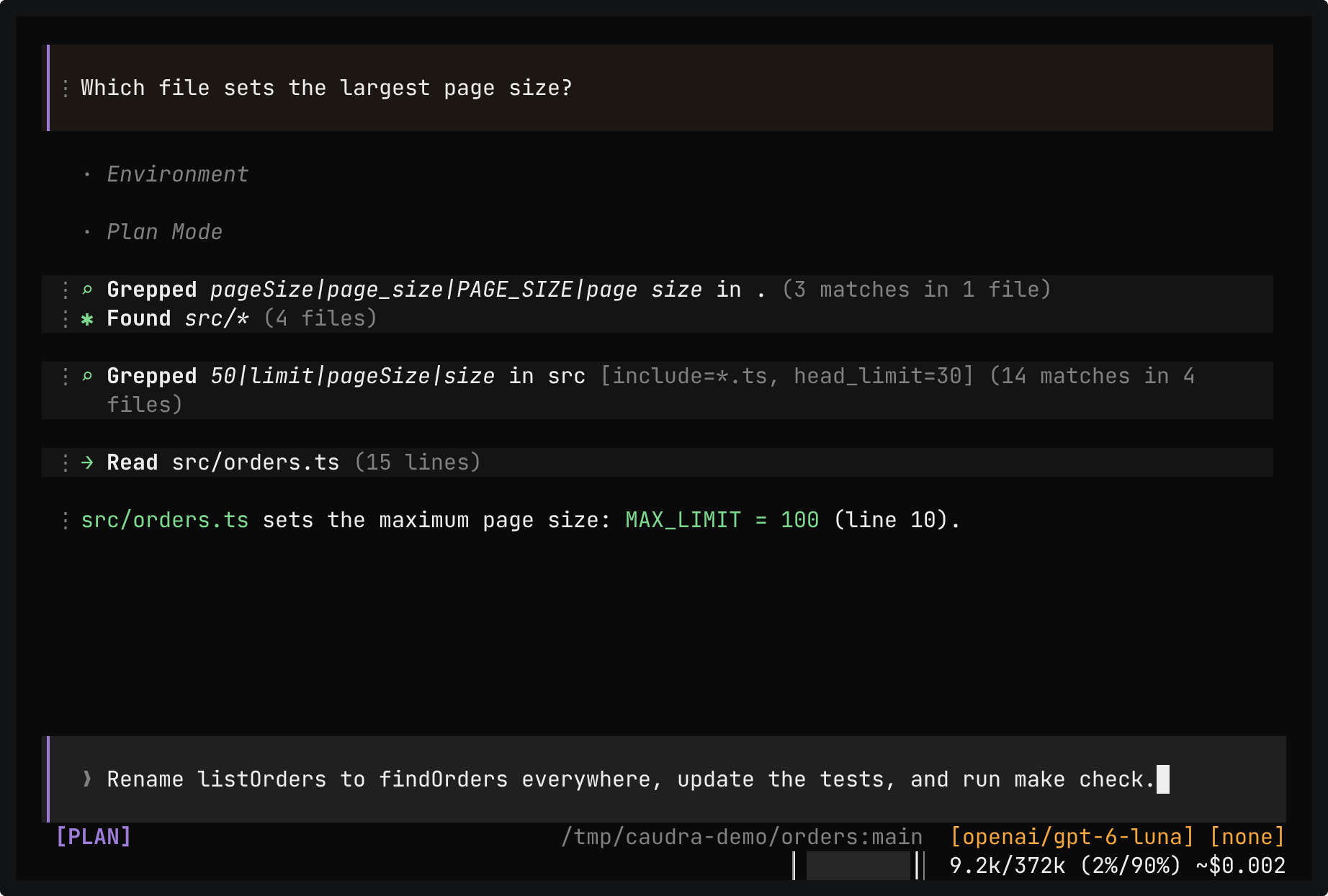
A real session in the demo project. A draft asks to rename listOrders everywhere. Ctrl+X s stashes it, and the toast reads Stashed (1 total). A question about the largest page size gets its answer, and Ctrl+X p brings the draft back to the composer unchanged. The draft stays out of the conversation until you send it.
DocsStash
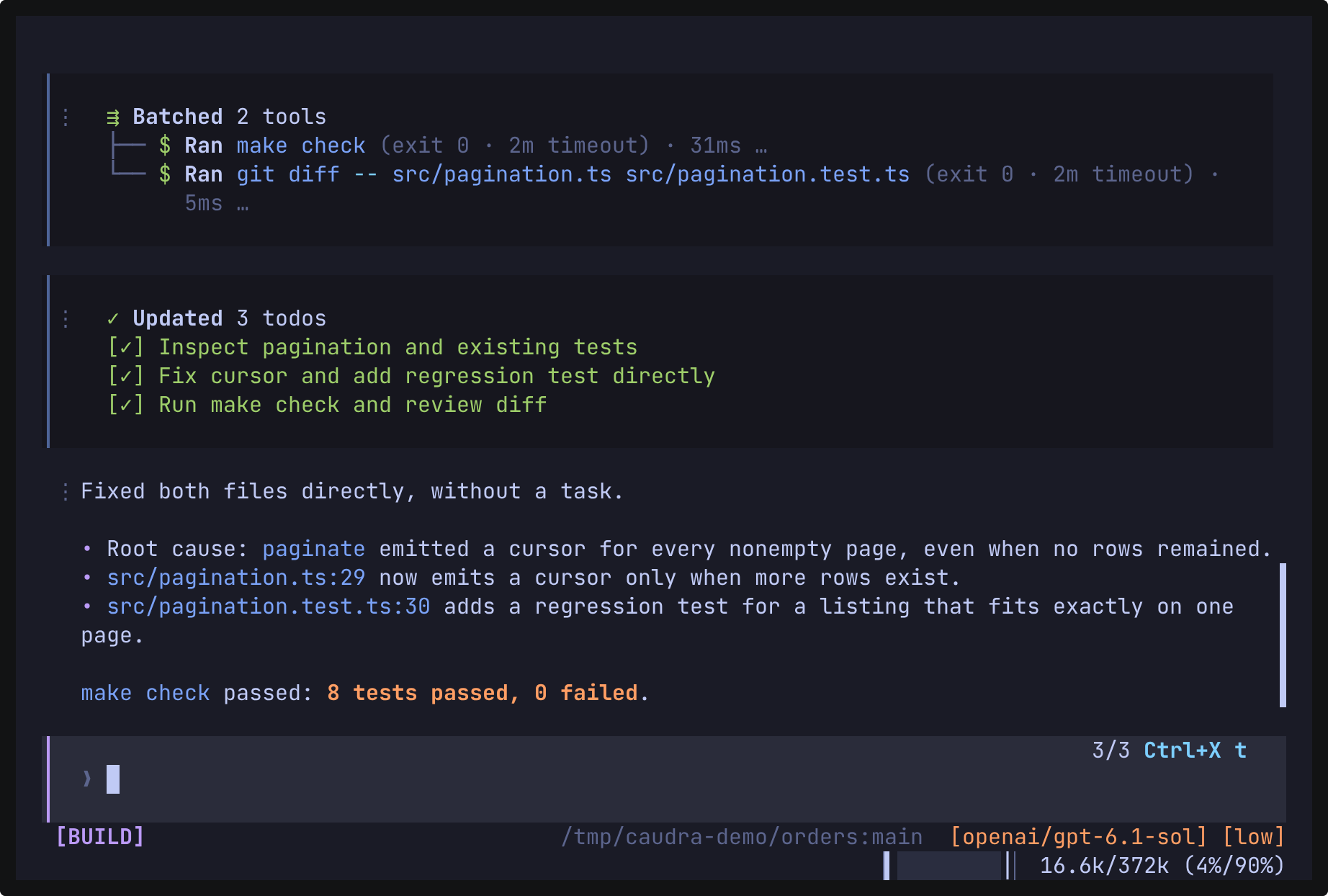
A real session in the demo project after a fix. /theme lists the themes, and the whole interface changes color as catppuccin_mocha, catppuccin_latte, and tokyonight are typed in turn. Enter keeps tokyonight. A second /theme returns to caudra-dark, the theme of the other recordings.
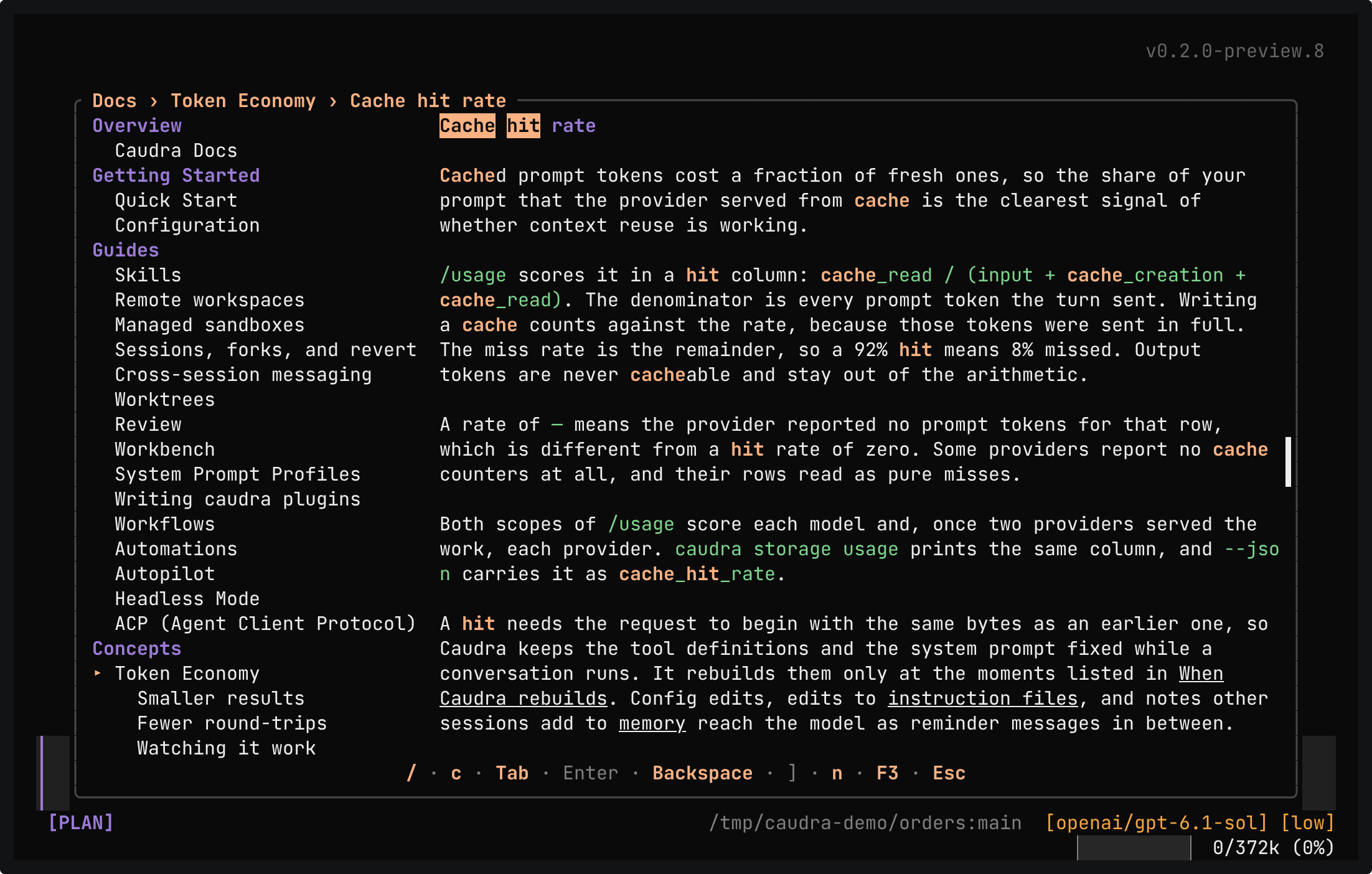
A real session in the demo project. /docs opens the manual that ships in the binary. A search for cache hit finds 8 sections, Enter opens Cache hit rate, and n jumps to the next match. No request goes to the model.
Docs
/docs
Scripts
caudra -p runs the same agent without the interface and prints text or JSON for other tools.
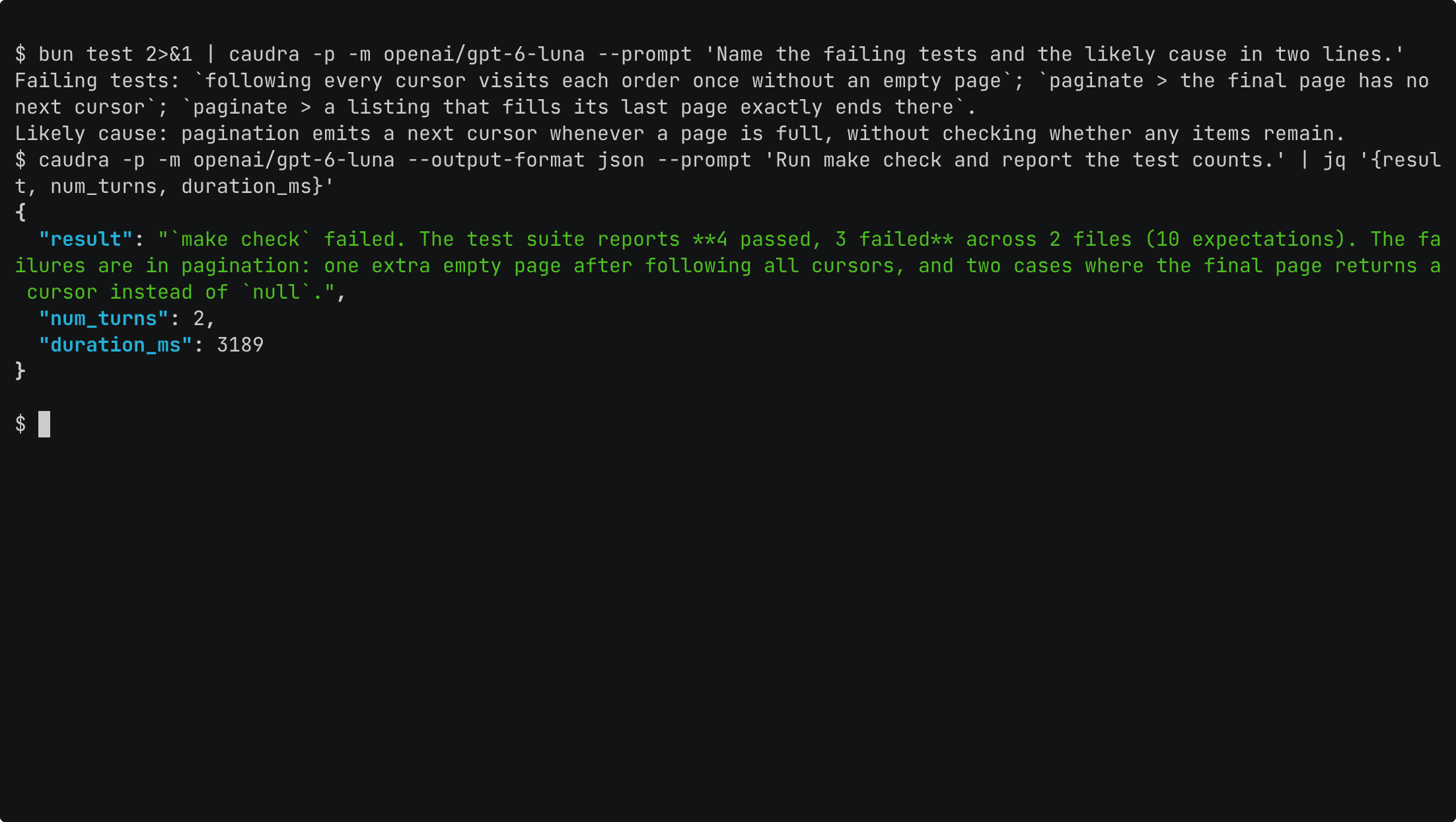
A real shell session in the demo project. The output of bun test is piped into caudra -p with a prompt, and the reply names the three failing tests and the cause that the model suspects. A second run with --output-format json lets the agent run make check under a stored rule, and jq picks the result, the number of turns, and the duration from the JSON.