03When the token bill arrives

Token savings,
built in.

Every turn re-sends the conversation, so a noisy result costs tokens again on every later turn until compaction. Caudra keeps results small and round-trips few, starting with RTK-style shell output filtering that is on by default.

Illustration · 30 seconds · SilentShell output, reducedDownload updates collapse into the final progress bar. Passing test output clears away, leaving failure details and the summary.
Read the video transcript
  1. 0:00 Download progress

    A download prints a new progress bar at 0%, 33%, 66%, and 100%, ending at 300/300 and done. After the command completes, the raw output stays on the left. On the right, the output sent to the model replaces the first three updates with “... (3 progress updates collapsed)”. The final filled bar and done remain, followed by [filtered: progress]. The raw capture is unchanged.

  2. 0:14 Failures and summary

    Jest output shows a failed test in __tests__/bad.test.js, named broken. The assertion expected 5 and received 2, at line 2, column 42. A passing suite and timing information follow. After completion, the passing suite header and routine output peel away. The failure, assertion, source location, and totals remain: one failed and one passed suite, with one failed and two passed tests. The result is labelled [filtered: jest].

  3. 0:26 Built-in shell output filtering

    Caudra filters completed model-facing output. The raw capture is unchanged. This silent illustration uses verified examples, not a recording or an execution-speed measurement.
Download the MP4
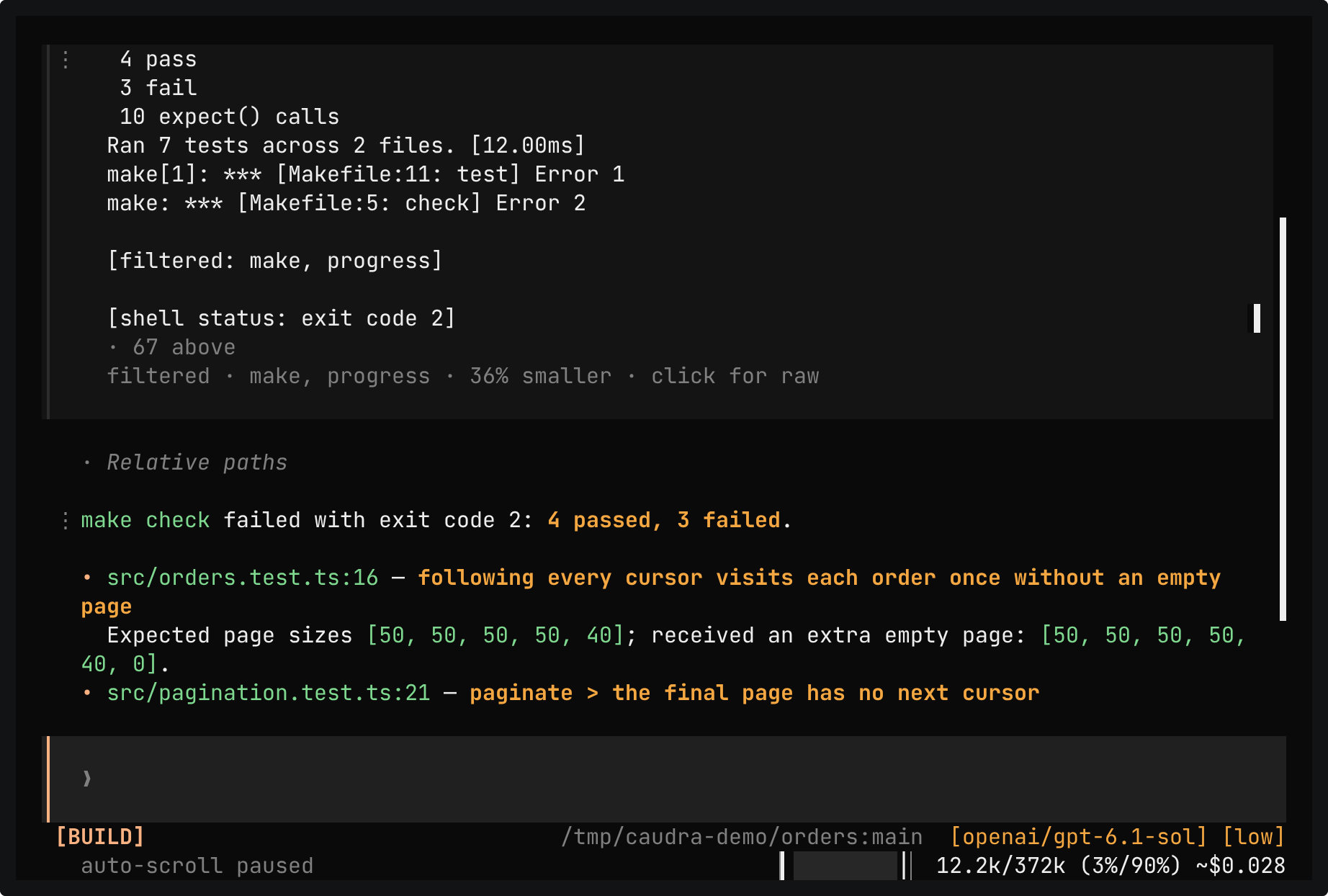
Caudra after make check failed. The shell card footer reads filtered, make, progress, 36% smaller, click for raw. Below it, the reply reports 4 passed and 3 failed and starts a table of failing tests at src/orders.test.ts:16 and src/pagination.test.ts:21.

Terminal recording · Filter shell outputA real session in the demo project. make check fails three tests, and the make and progress stages make its output 36% smaller for this command. The reply names each failure, and one click shows the raw output.Open in the gallery
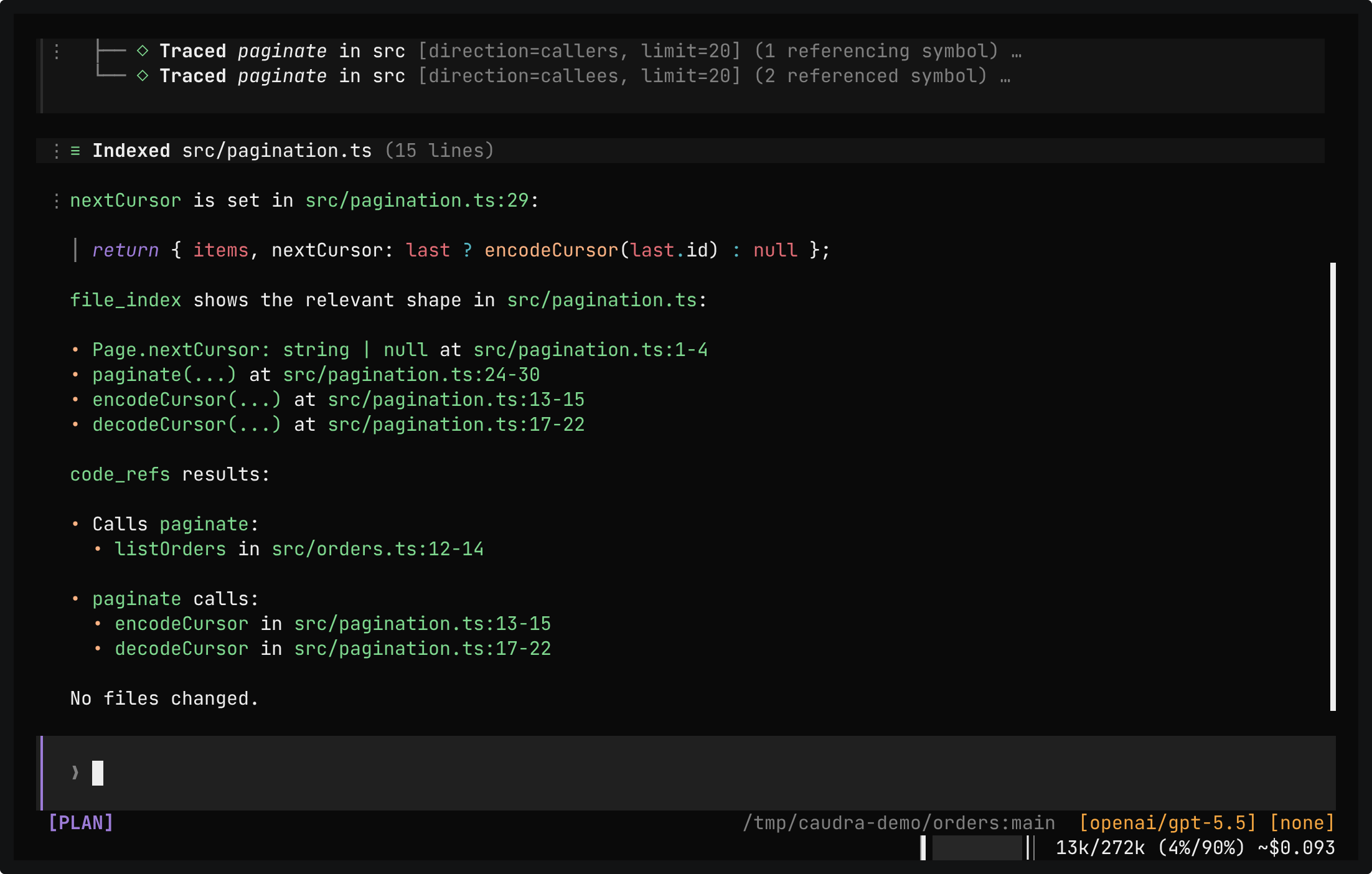
The answer. Where nextCursor is set names src/pagination.ts:29 and quotes the line. Every call to paginate is a bullet list with the call in src/orders.ts:13 and four calls in src/pagination.test.ts. What paginate calls lists lines 25 to 29 of src/pagination.ts, from decodeCursor to encodeCursor. The last lines say that all three requested tools were used, that a targeted search found the test calls, and that only the seven-line paginate function was read.

Terminal recording · Answer from outlines and referencesA real session in the demo project, in Plan mode. The prompt asks where nextCursor is set, every line that calls paginate, and what paginate calls, without reading whole files or starting a task. The model locates the code with source_code_context, traces paginate in both directions with source_code_refs, indexes src/pagination.ts, and runs one targeted search. The answer cites each line. It says that the references found the production caller and that the targeted search found the calls in the tests. The only read covers lines 24 to 30 of src/pagination.ts.Open in the gallery
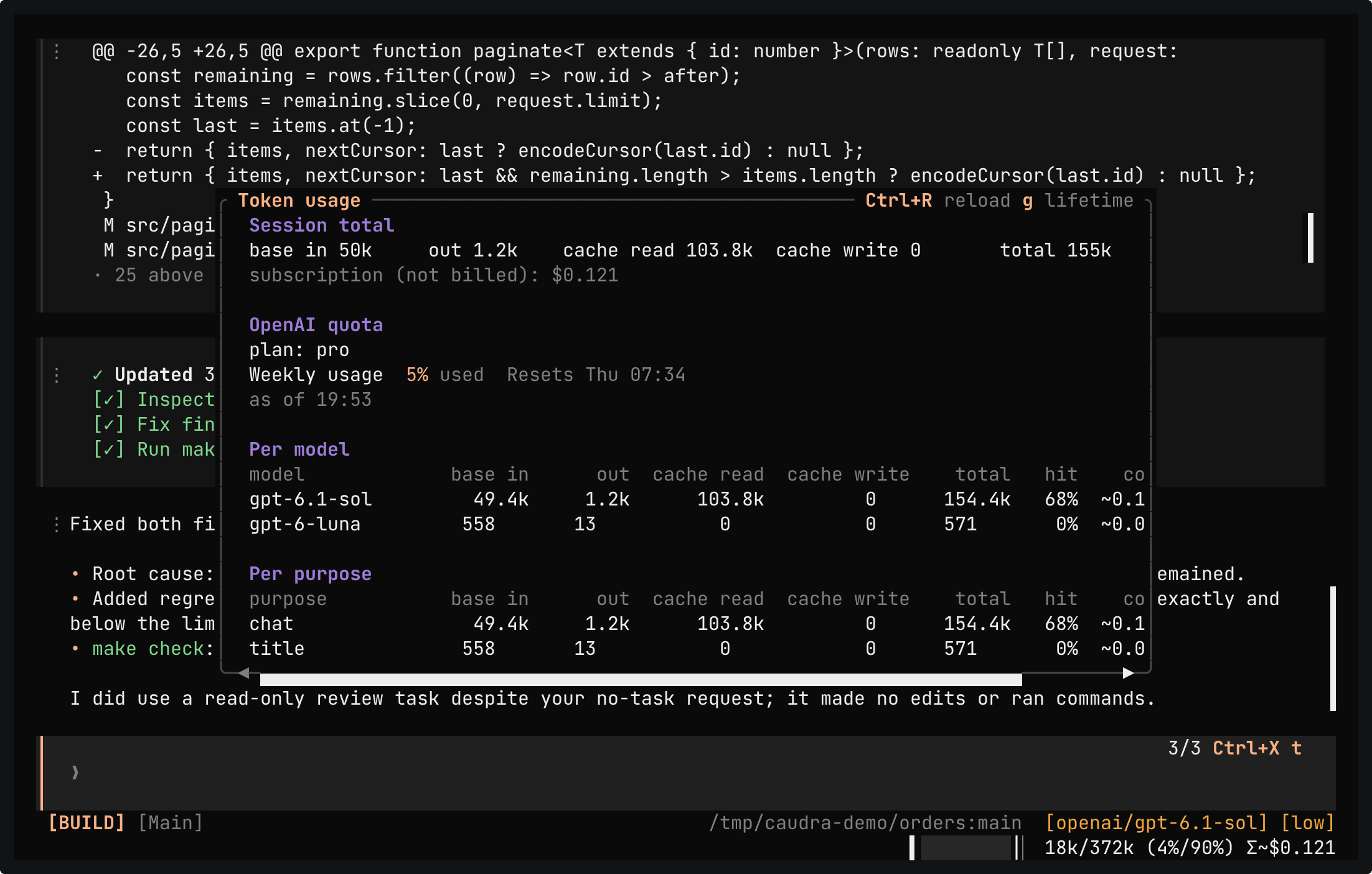
The Token usage panel. The session total shows 28.8k base input, 1.2k output, and 96.3k cache read tokens, with the subscription cost not billed and 45% of the weekly OpenAI quota used. The Per model table lists gpt-6.1-sol and gpt-6-luna, and the Per purpose table lists chat and title, each with its tokens and cache hit rate.

Terminal recording · Context and token usageA real session in the demo project after a fix. /context shows the window of gpt-6.1-sol by category, from the system prompt to the messages, with the reserve and the auto-compact threshold. /usage shows the tokens of the session per model, here gpt-6.1-sol and gpt-6-luna, and per purpose, where chat is the conversation and title is the call that named the session. Each row has a cache hit rate, and the panel shows the weekly quota of the ChatGPT subscription.Open in the gallery
  • RTK-style output filtering

    Command-aware rules, most of them from RTK, trim build and test noise before the model reads the output, and a filtered result is always smaller than the raw one. A failure is never reported as a success, and a failing command keeps its first and last lines. Progress bars collapse to one row, and you can switch between filtered and raw views.

  • Structure before content

    file_index returns a file outline with signatures and line numbers. The source_code_* tools rank the symbols a task touches and show callers, call sites, and the tests they can trace to a change. They parse the source on the fly, so there is no index to build or maintain and nothing to configure.

  • Fewer, smaller turns

    Oversized results reach the model as a bounded head and tail, and tool_output searches the rest. batch runs independent calls in one turn, and subagents keep their exploration out of the main context.

  • A prompt cache that holds

    MCP servers are reached through code mode, so a server that connects or changes its tools never changes the tool definitions. Caudra sends a per-conversation cache key where providers accept one, and /usage scores the cache hit rate for every model.

A tool card that loads text into the context says about how many tokens it adds, counted with what Caudra learned about that model's tokenizer. Opt-in cache warming keeps the Anthropic prompt cache alive while a long tool runs, and /usage shows what it would save before you turn it on. In the creator's daily use, about 97% of Anthropic and 94% of OpenAI prompt tokens came from cache.

With credit to the ideas in RTK and ripwire.

How Caudra saves tokens